










XTEINK X4 PRO
MSRP $99.00
“There’s nothing quite like this out there.”
Pros
- Unlocked software
- Plenty of feature-packed firmware
- Utterly joyful in-hand feel
- Built-in magnets
- File transfers are breezy
- Front-lit display is a welcome upgrade
Cons
- Finicky magnetic charger
- Barebones native software
- Can struggle with heavy files
- No native bookstore access
- Frequent page turns are inevitable
Quick Verdict
The XTEINK X4 Pro is a device made for people who don’t want yet another big screen to occupy their bags or pockets. It’s extremely lightweight, palm-friendly, and versatile. You can snap it to the back of your phone and forget that you are carrying another device. The combination of a touchscreen and physical controls, which you can use together or standalone, is a huge perk.
Moreover, the front-lit display and the capacitive home screen offer a phone-like UI experience that further diminishes the learning curve. The software is pretty rudimentary, for lack of a better word, but that’s also a good thing. This reader ships with open software that lets you install third-party custom firmware builds within a matter of minutes.
You won’t be voiding the warranty because XTEINK now officially supports one of the most popular firmwares out there, and you can freely try all the forks that the open-source community is building without ever writing a line of code or installing complex software. At $100, it’s the cutest and most functional Kindle replacement out there, with plenty of practical charm.
XTEINK X4 Pro specs: What’s inside this tiny e-reader?
| Display | 4.3-inch E Ink |
| Resolution | 219 PPI |
| Front Light | Yes, with adjustable brightness and warm/cool light |
| Controls | Touchscreen plus physical buttons |
| Dimensions | 111 × 69 × 5.95 mm |
| Weight | 72g |
| Storage | 16GB microSD card included; expandable up to 256GB |
| Battery | 1100mAh |
| Connectivity | Wi-Fi 2.4GHz and Bluetooth |
| Port | Pogo Pin |
| Detailed Document Formats | EPUB, TXT |
| Detailed Image Formats | JPG, BMP |
| Detailed Font Formats | BIN, XTF |
| Colour | Space Black |
XTEINK X4 Pro design and build
The biggest reason that you want to buy the XTEINK X4 Pro is the palm-friendly footprint. The dimensions are 111 × 69 × 5.95 mm, and it weighs only 79 grams. It may look like a toy at first glance, but the build quality is fairly solid and robust. There are no creaking edges or poor buttons. The entire shell is extremely well put together.
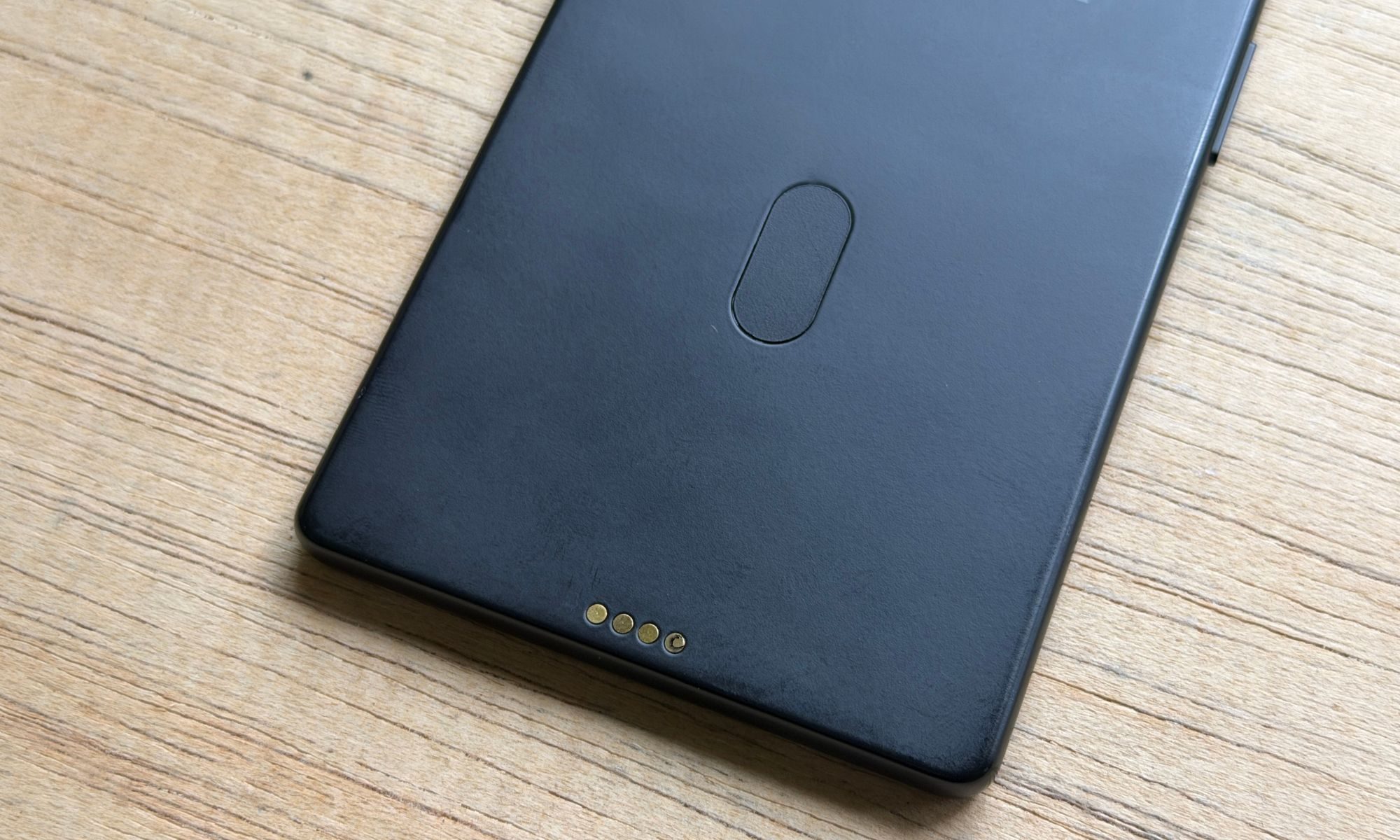
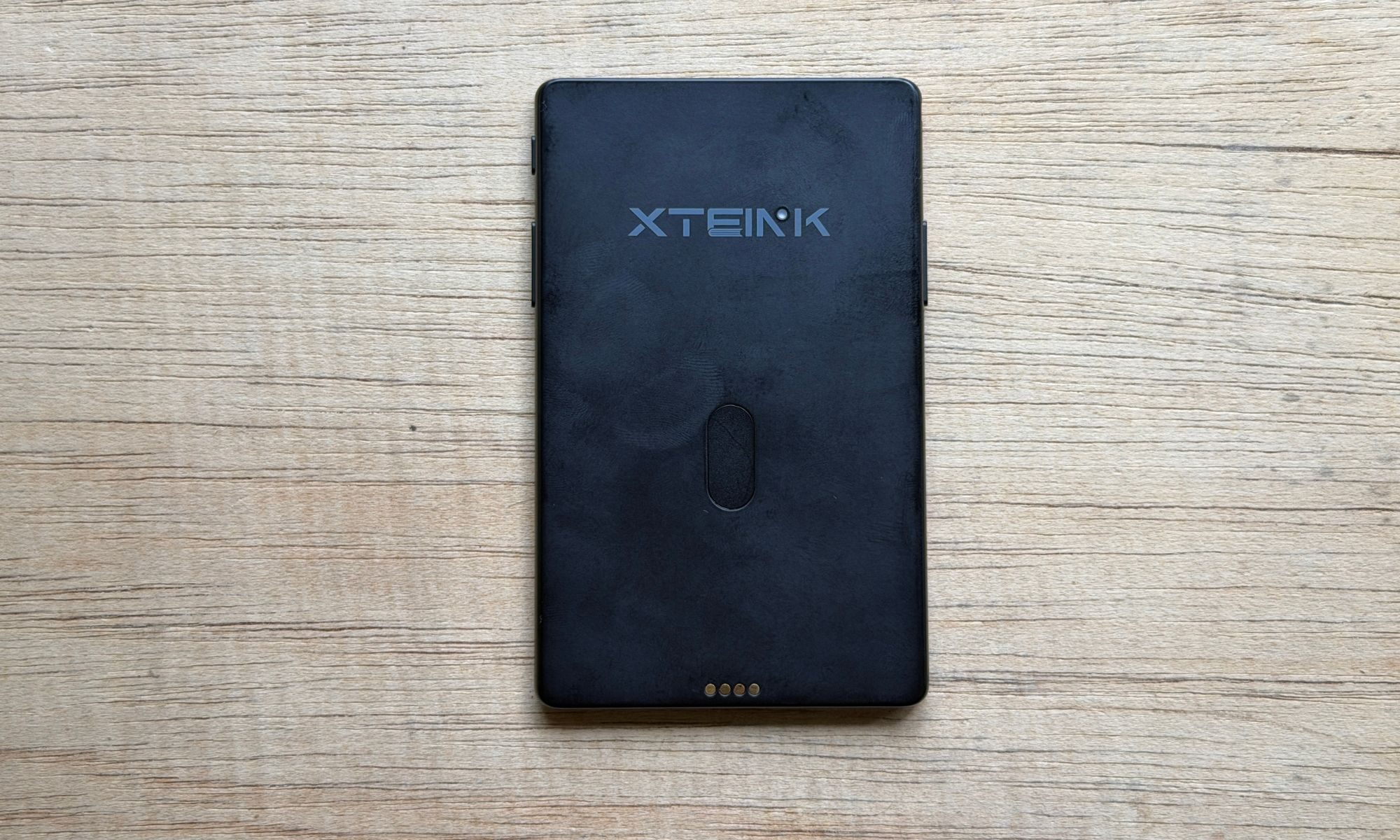
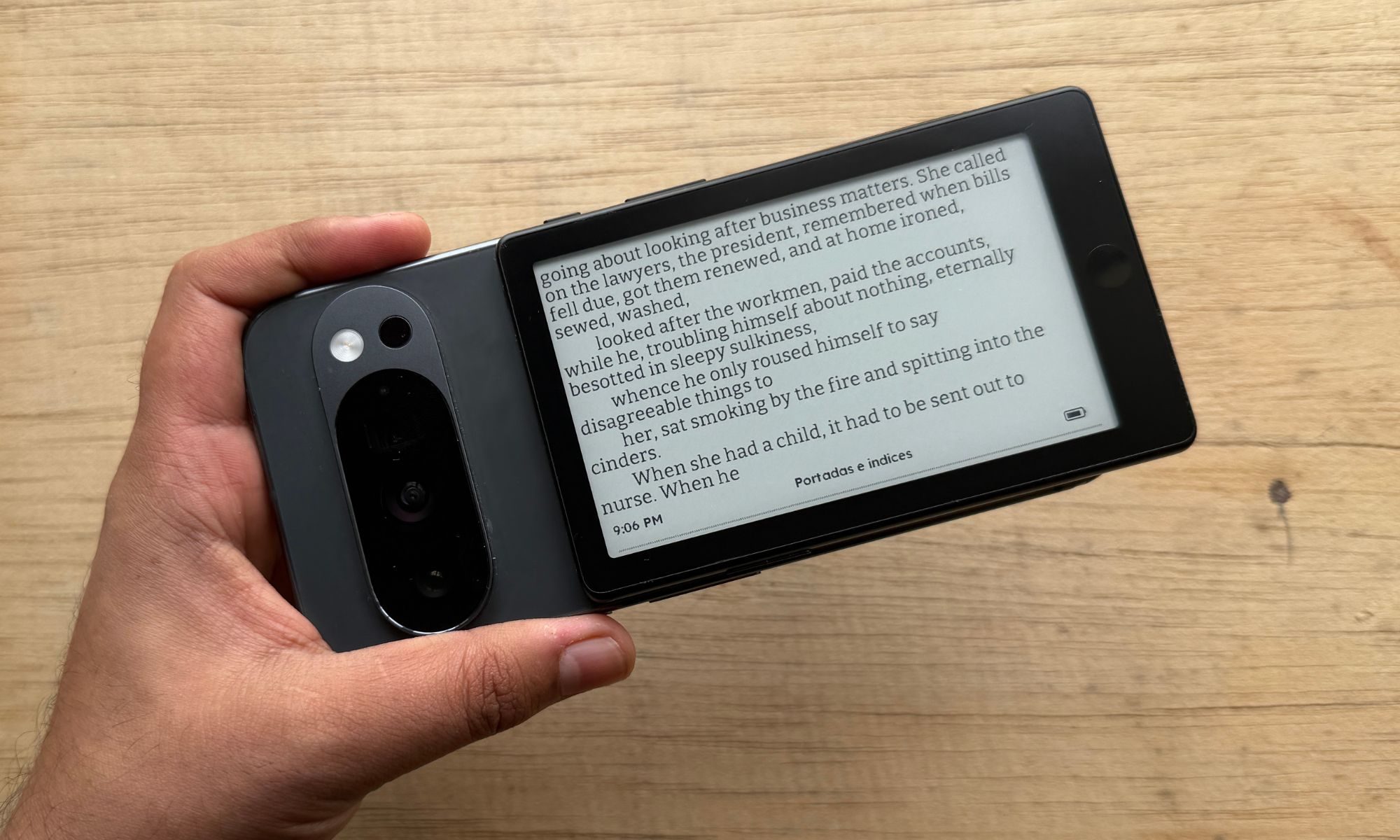
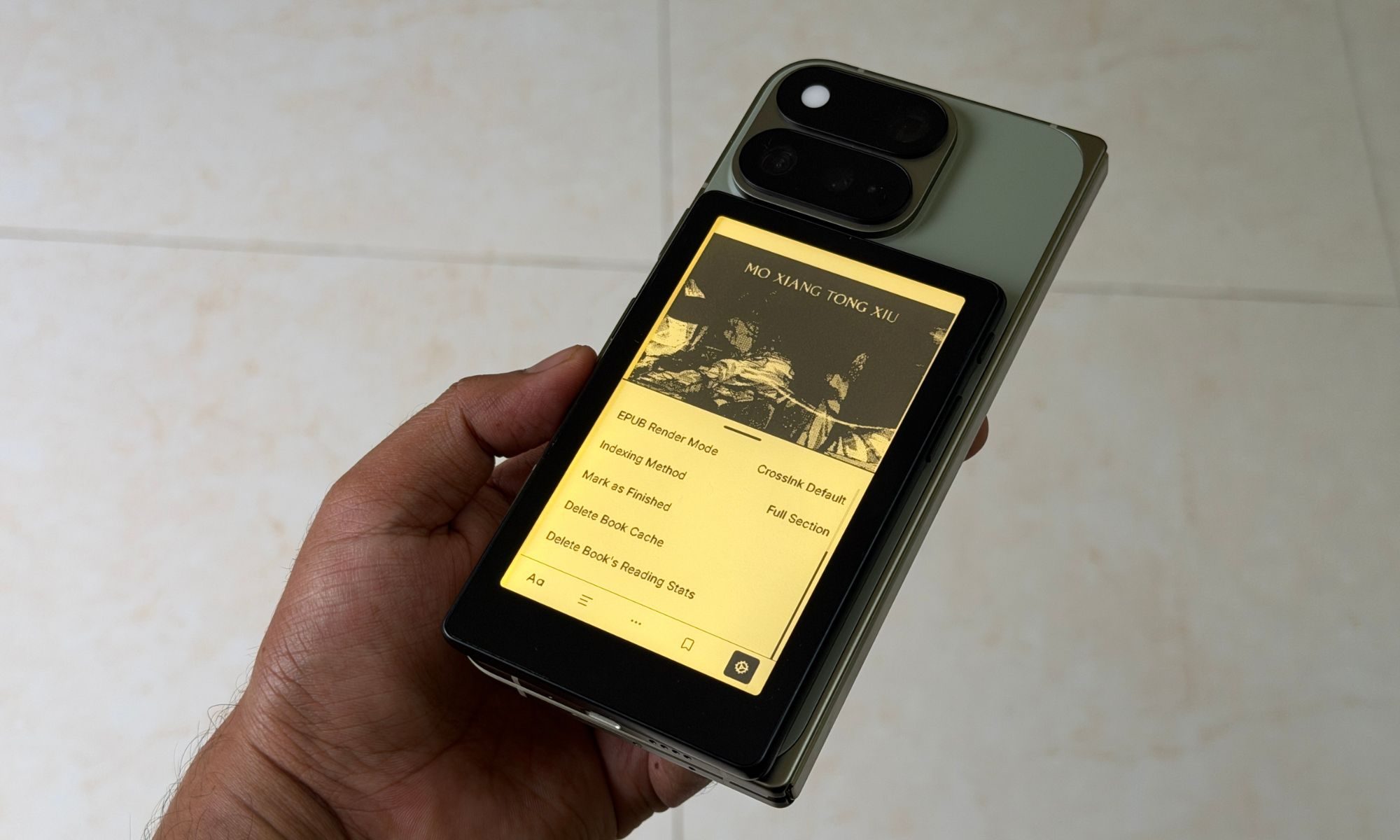
The most notable convenience on this one is the built-in magnets on the rear shell. If you have a phone that supports Qi2 wireless charging and also has built-in magnets to allow a more secure wireless power transfer, you can just directly snap the XTEINK X4 Pro onto the phone’s rear shell. It worked just fine with my iPhone 17 Pro. I had no issues using it with my Pixel 10 Pro or the Pixel 11 Pro Fold.
But if your phone doesn’t come with built-in magnets on the back, you can just snap a metallic ring onto the back of your phone. Thankfully, the reader’s box includes a pair of E-Reader Adhesive Metal Rings in two colors. Simply take the adhesive paper off, position it on your phone’s rear panel, and snap the XTEINK X4 Pro on without any hassle.
Alternatively, you can just buy a protective case for your phone with a built-in magnetic ring. The only issue is the size of the reader relative to the phone. On bigger devices like the iPhone 17 Pro Max, it fits just fine, but on the iPhone 17 Pro and the Pixel 11 Pro, the bottom edge of the CrossInk X4 Pro extends slightly further. You can blame it on the massive size of the camera humps and the positioning of the magnetic ring on the back.
Technically, when I put the reader on the Pixel 11 Pro Fold, it aligns perfectly with the bottom edge and doesn’t protrude or hang. However, the magnetic connection is not strong. You will have to slightly slide down the reader on the phone’s back panel to get the most secure magnetic lock. Unfortunately, in that position, the eReader once again hangs off by over 0.5 cm.
But not everyone is going to snap the CrossInk X4 Pro to the back of their phone, unless they intend to carry it with them at all times and fear misplacing it. I know a lot of my friends who carry it standalone in their pocket or even their wallets. Some simply slot it into the side pocket of their bags.
But the biggest draw is the palm-friendly nature and size of the device. And if you’re someone who has used a Kindle before, or even a phone-sized eReader, you will absolutely love the in-hand feel of the XD E Ink X4 Pro. You don’t have to stretch your thumbs to reach one of the display corners in order to activate a menu or functionality.
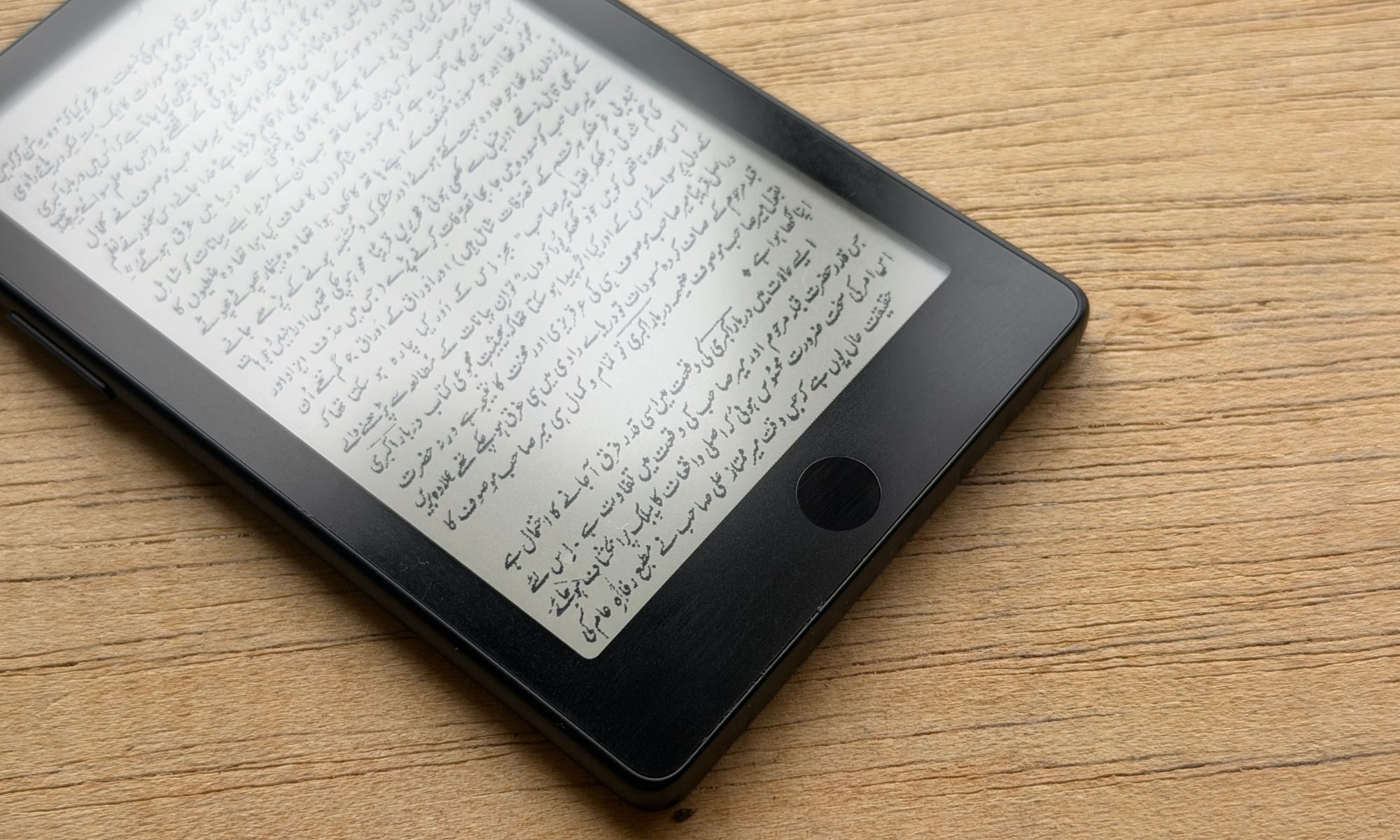
The touch screen is definitely a neat touch, but you can choose to fully disable it and rely completely on the physical buttons.
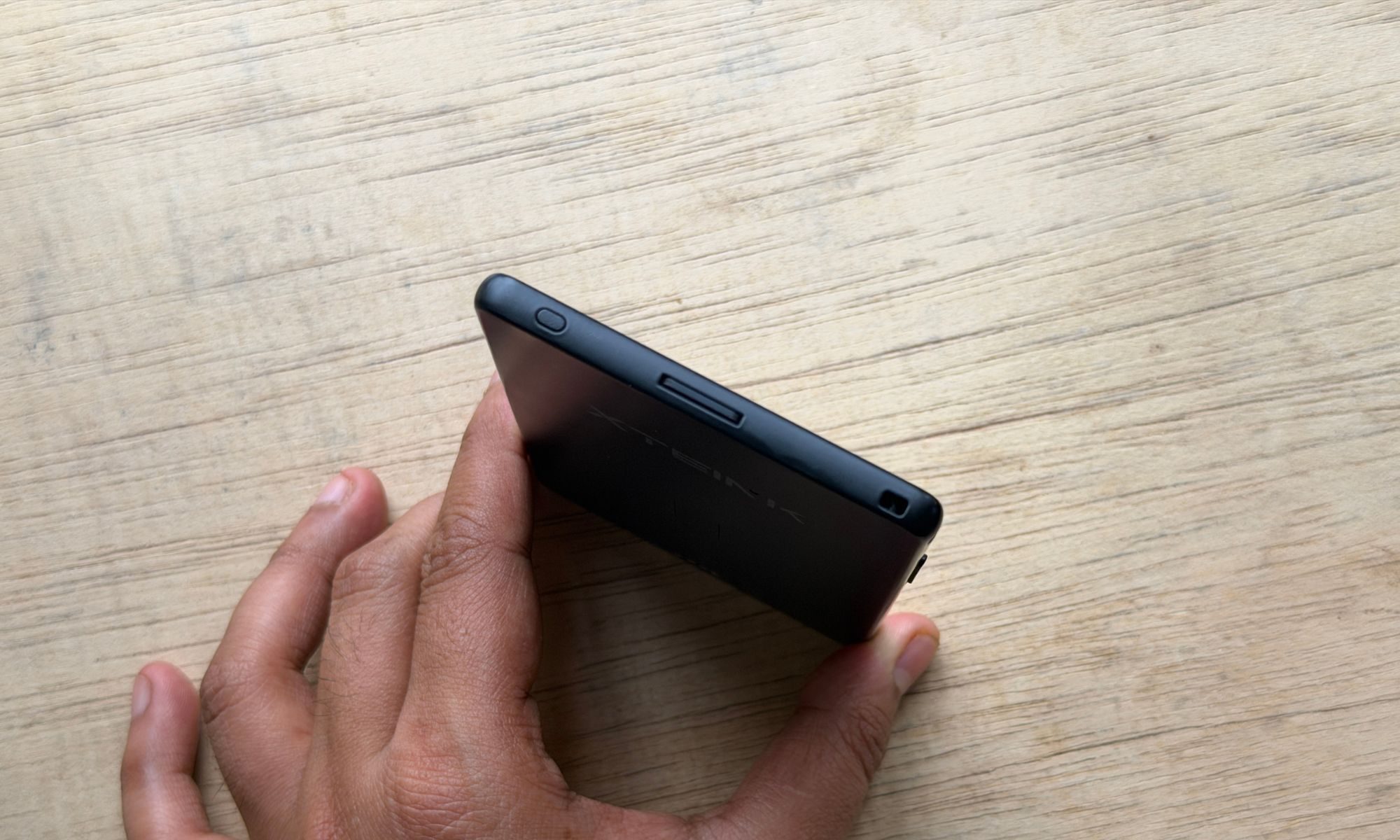
Talking about the physical buttons, the X4 Pro adds a capacitive button alongside the bottom edge, which looks almost identical to the circular Touch ID home button on iPhones. It’s a capacitive button. It mostly works fine. However, it can occasionally be pretty sluggish, and the lack of haptic feedback means you have no idea if the device even registered the tap gesture, unless something changes on the screen.
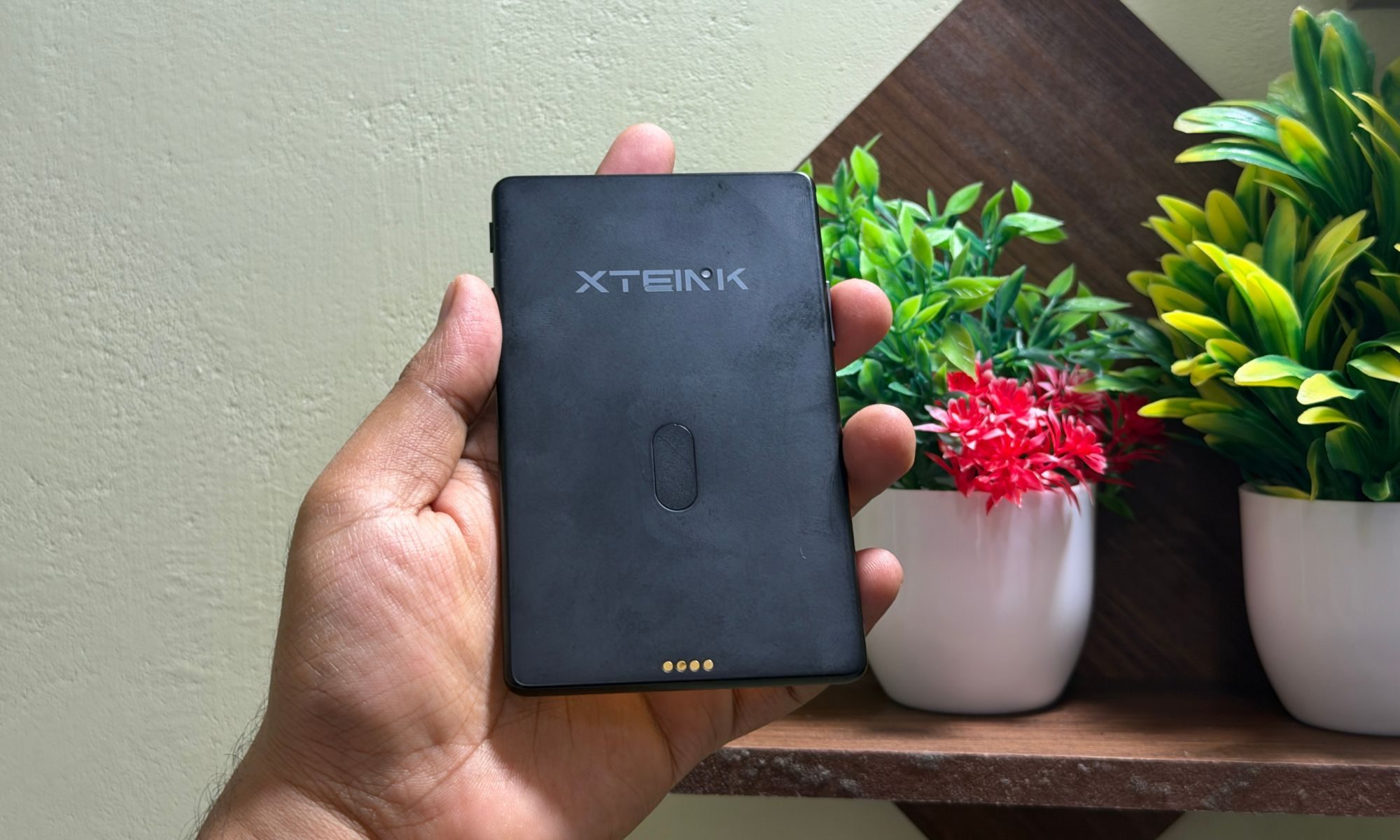
I wish this button was also a tad more responsive. If you load a heavy book with some pictures, the device often comes to a crawl, and the back button simply becomes unresponsive. On a few occasions, it got stuck on an indexing alert appearing on the screen, and I had to do a hard sleep mode activation using the power button to make the device respond again.
Another minor gripe that I have with the XTEINK X4 Pro, and especially its black color option, is the rear shell material. It attracts oily smudges and fingerprints pretty quickly. I often found myself obsessively trying to clean off sweat and oily remnants. I found that a dry cloth doesn’t really help, irrespective of how hard you rub it against the rear shell of the reader.
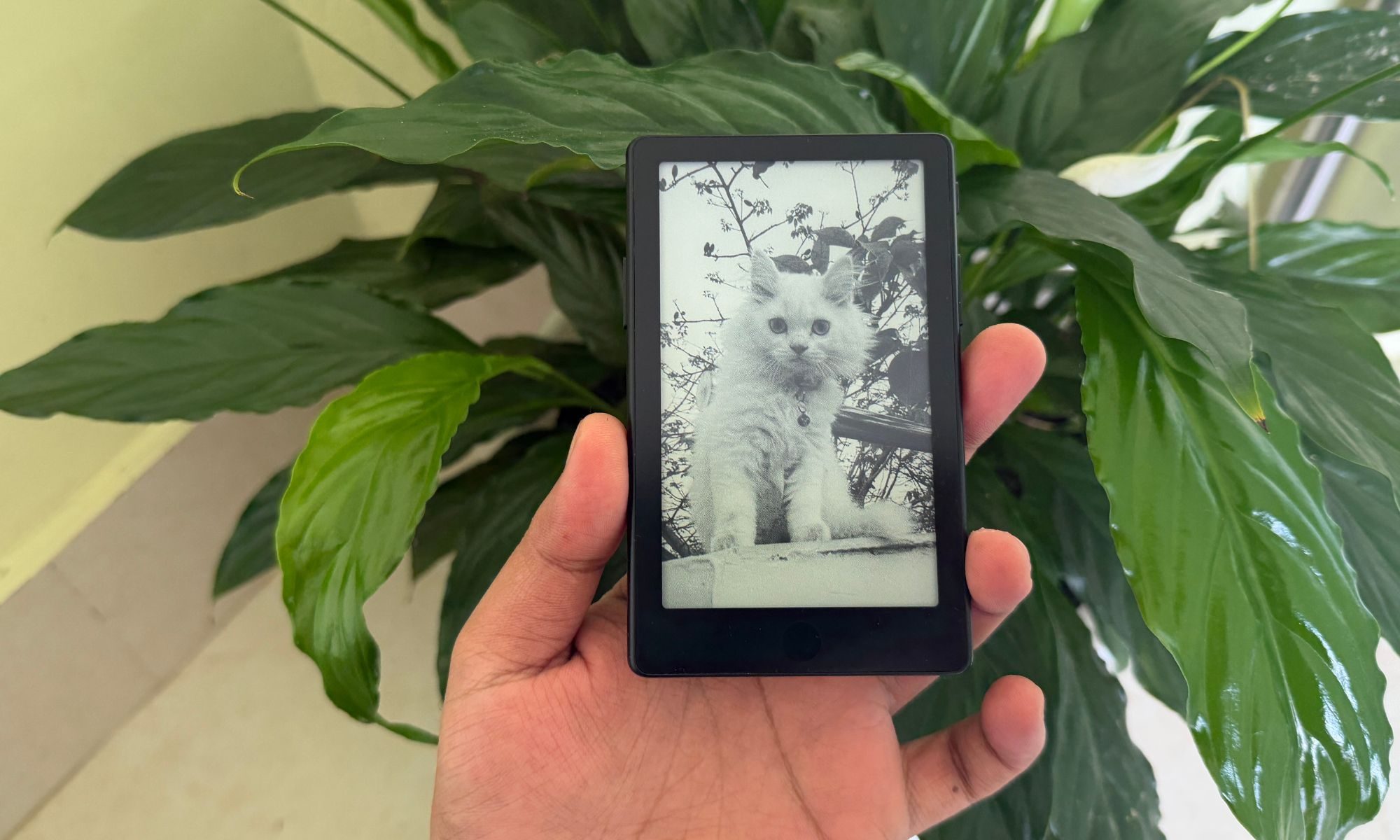
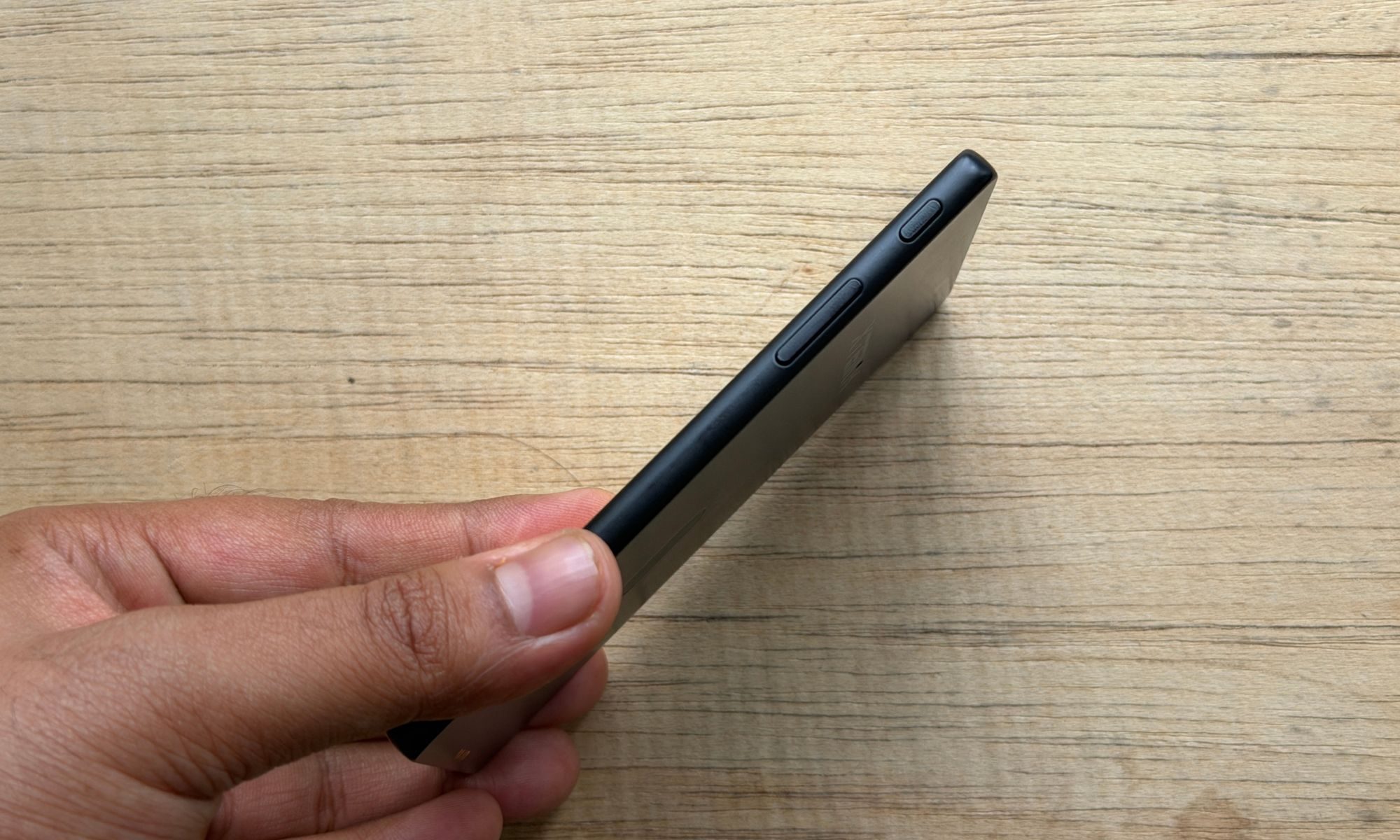
I would strongly suggest spending a few extra dollars and getting the leather-like magnetic flip cover or one of those plastic-made protective cases that XTEINK sells from its official website. As far as the inputs go, there are two buttons on the side for controlling the UI. The home button sits on the right edge, while the recent button is positioned alongside the top edge, next to the microSD card slot.
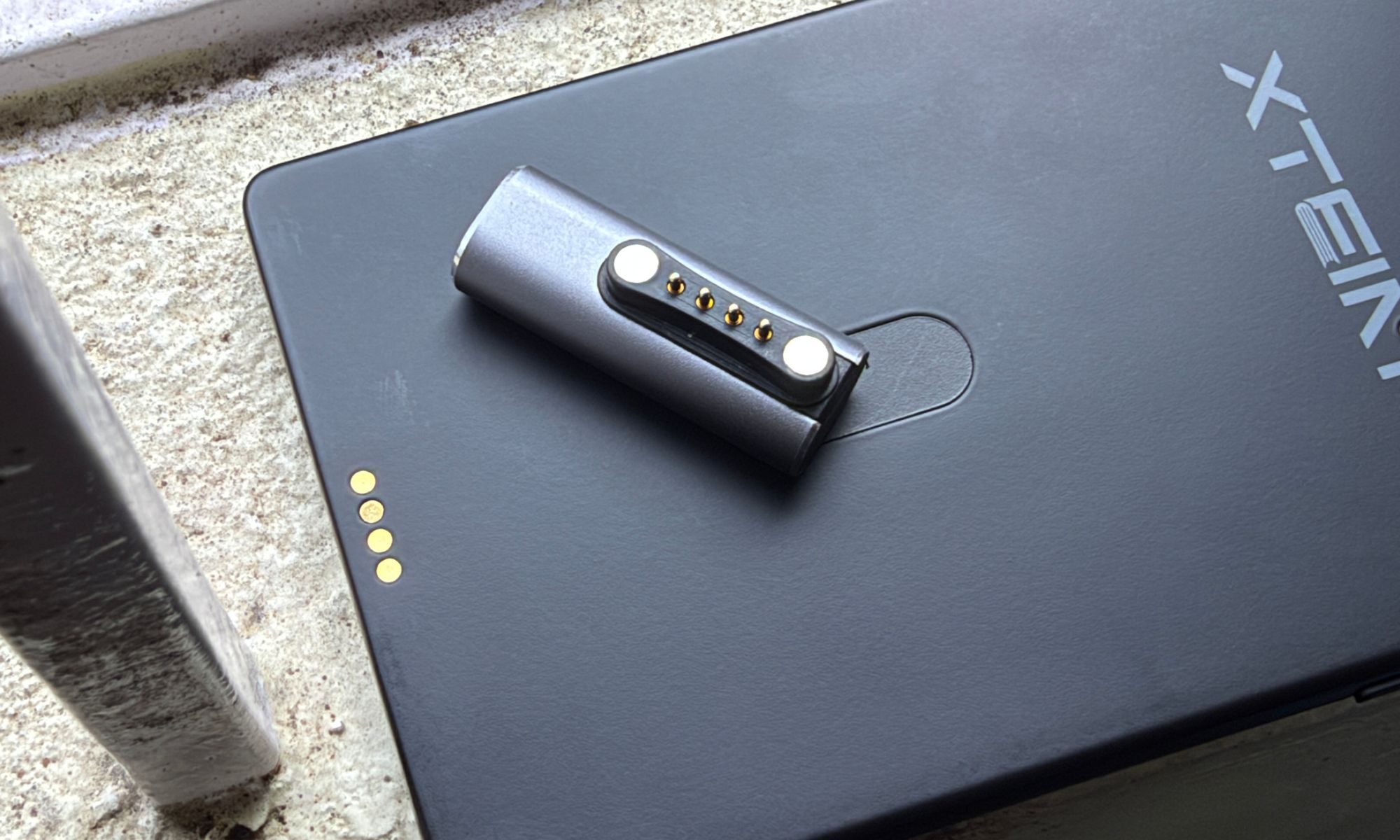
The most infuriating part of the build is the magnetic power button connector, which is extremely susceptible to even tiny movements and immediately disconnects the charging process. XTEINK’s reader community has also been asking to remove the magnetic charging system and simply embrace a USB-C port. But given the thickness of the device, it’s unlikely that XTEINK will be able to fulfill those demands.
Design score: 8/10
XTEINK X4 Pro display
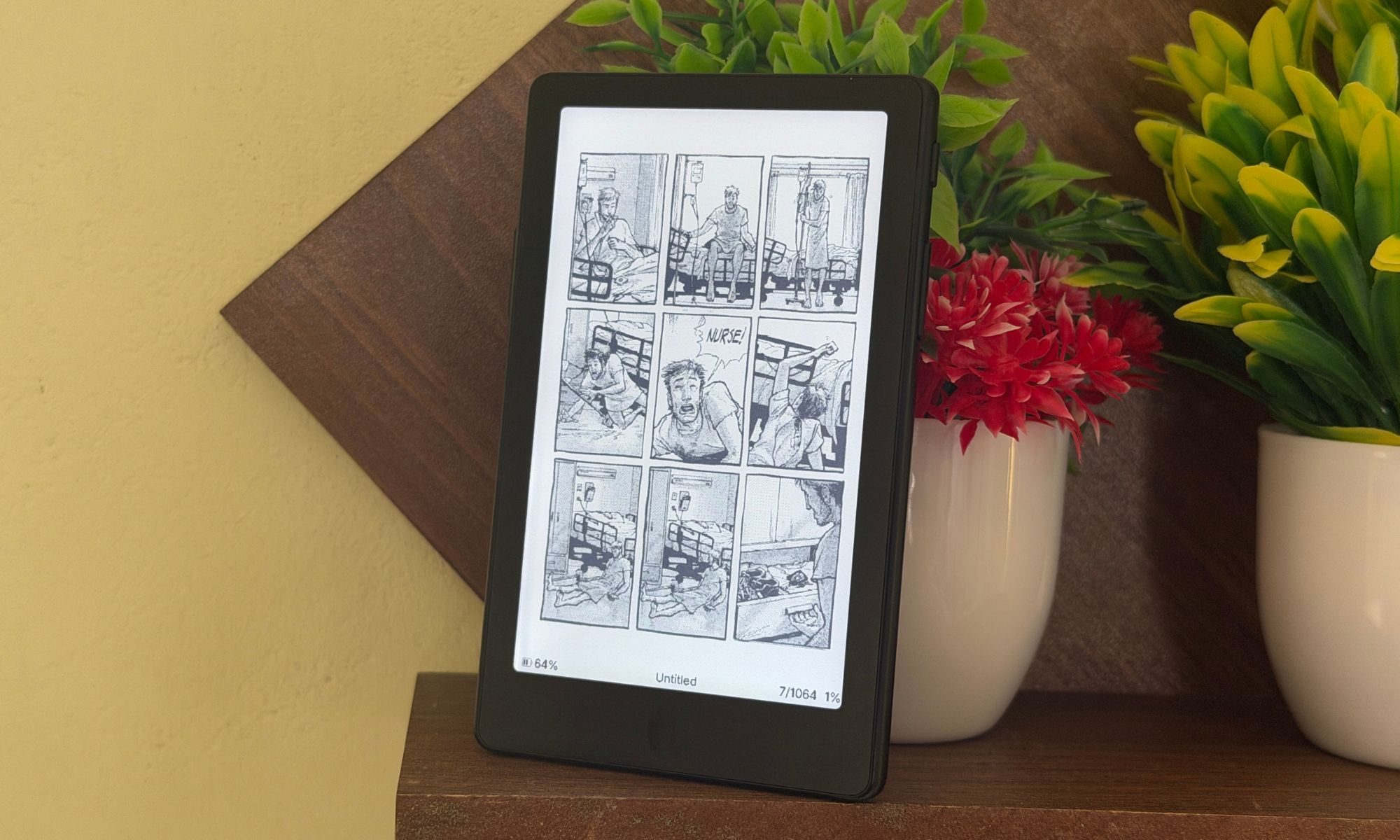
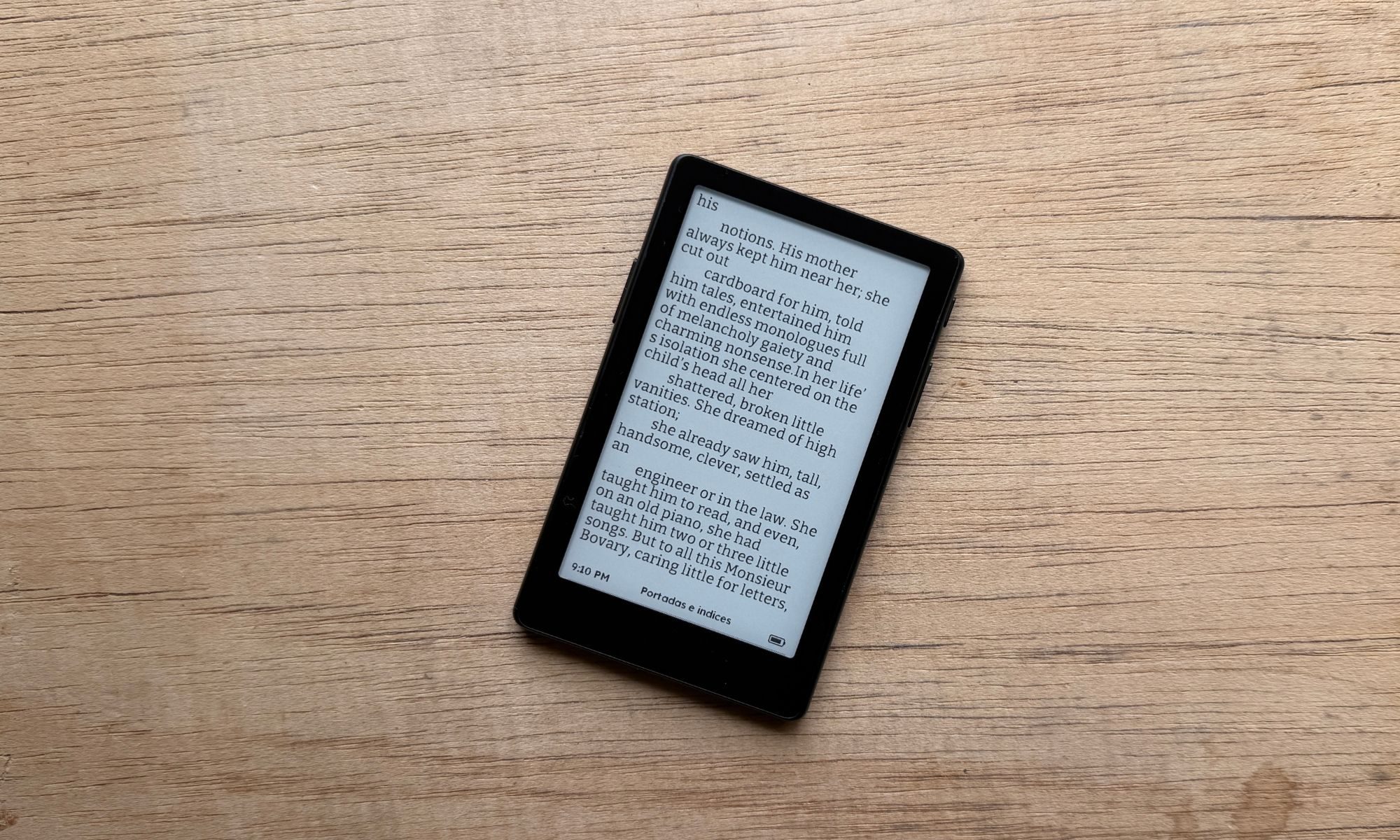
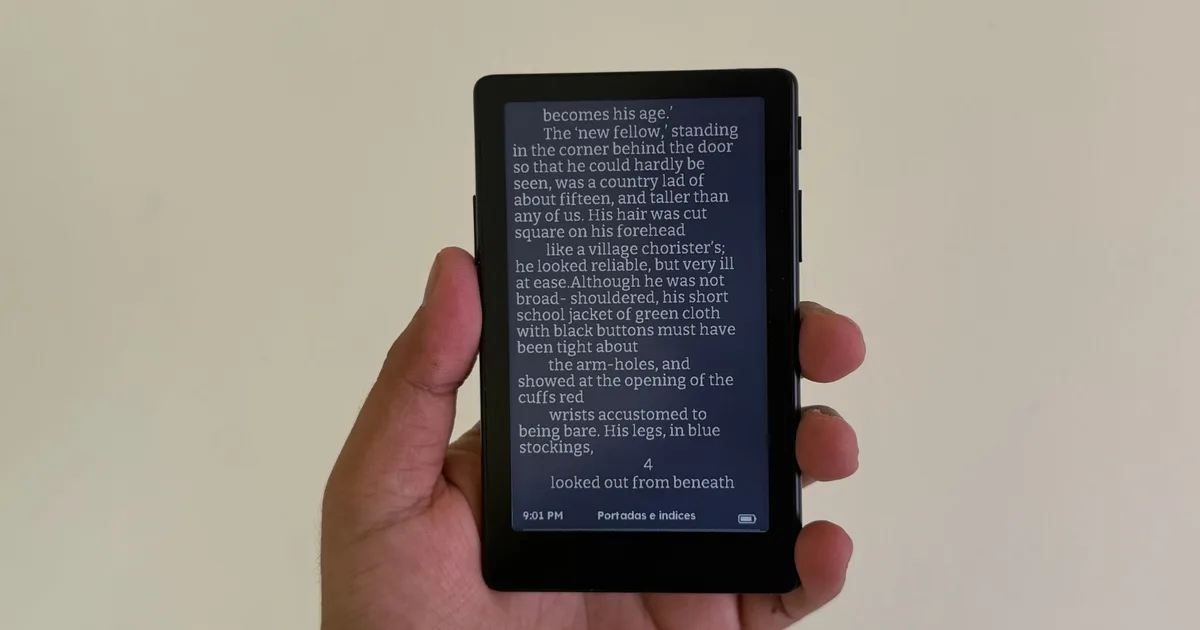
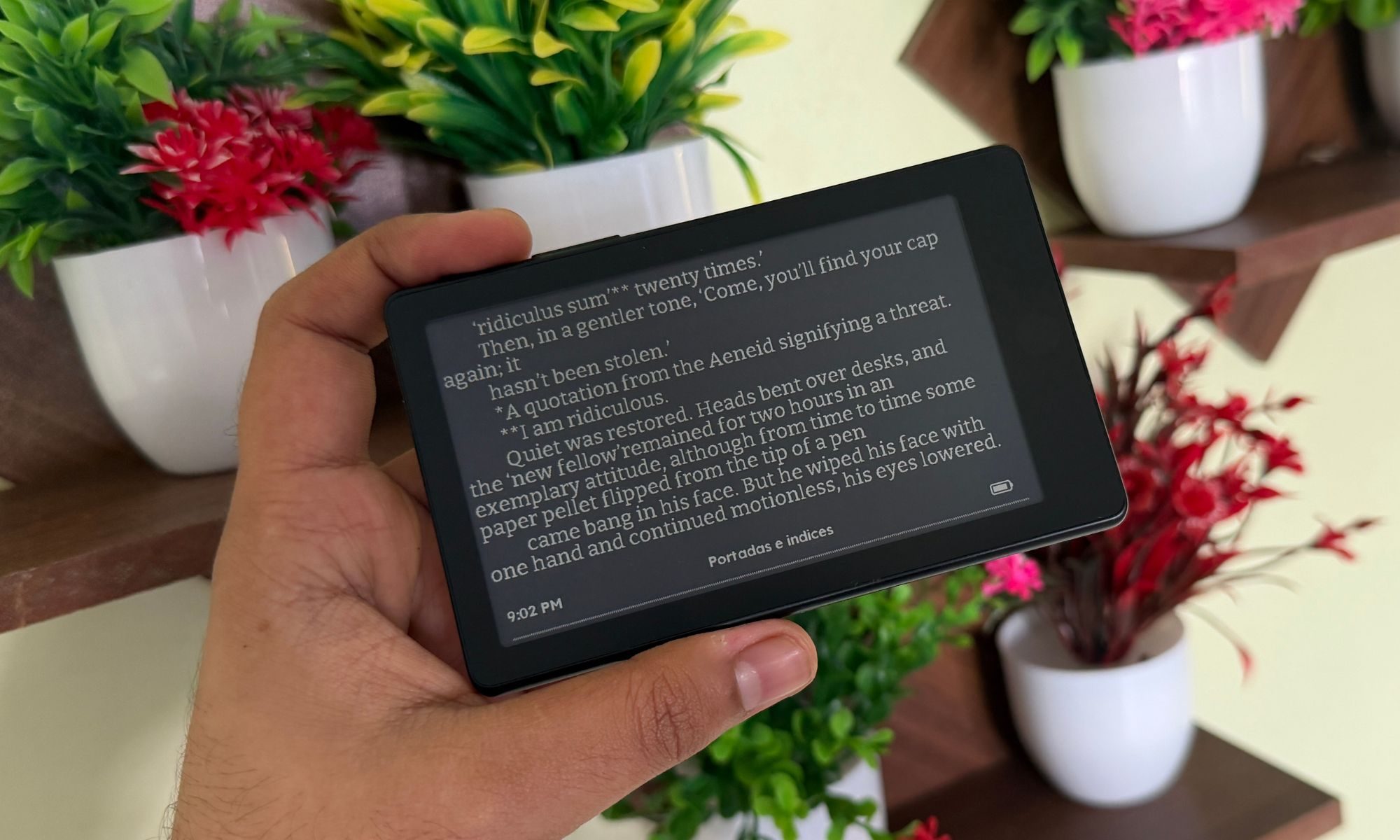
The XTEINK X4 Pro comes with a 4.3-inch E Ink screen that delivers a pixel density of 219 PPI. For such a small display in a monochrome format, that’s plenty sharp for reading text. The biggest draw, however, is the built-in front light, which now lets you adjust the brightness of the screen and even play with the temperature.
During daytime or in well-lit indoors, you won’t need to crank up the brightness. Even when the front light is turned off, you won’t have any issues with legibility. But if you love reading at night surrounded by darkness, you can turn on the front light and adjust the screen’s color to get a warm tone that is a lot more comfortable visually.
It’s a slightly darker shade of yellow, but I won’t quite call it amber. The color saturation is not as warm as a few other competing devices, like the DuRoBo Krono, pictured below, or even the Boox series of e-readers. But that doesn’t mean the XTEINK X4 Pro’s screen is inadequate. Far from it, actually.
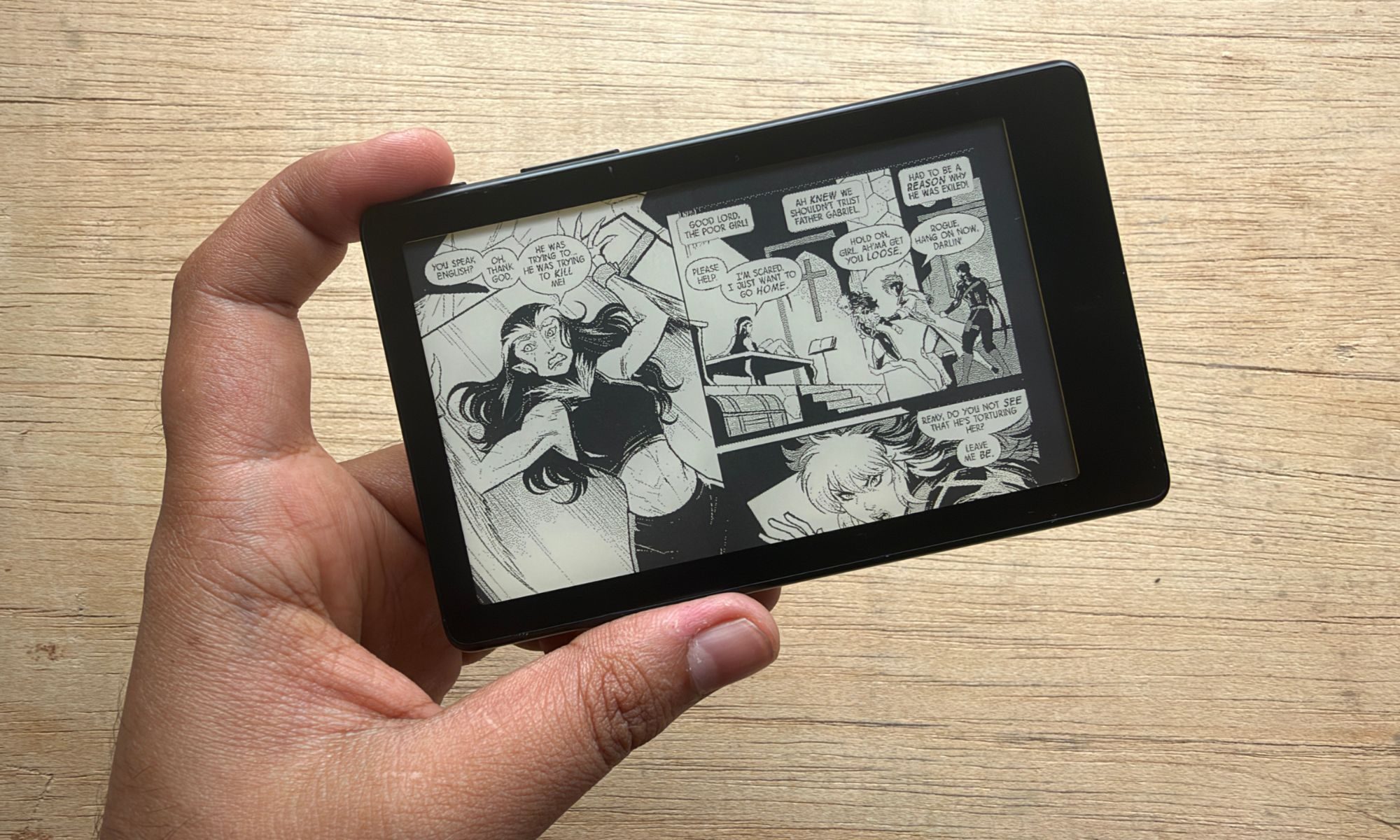
I’ve spent a healthy few weeks reading on the screen in a variety of situations, from the backseat of a cab to the comfort of my beanbag and my bed, in a completely dark room. I never felt that the brightness output was inadequate, or that the display temperature was not warm enough.
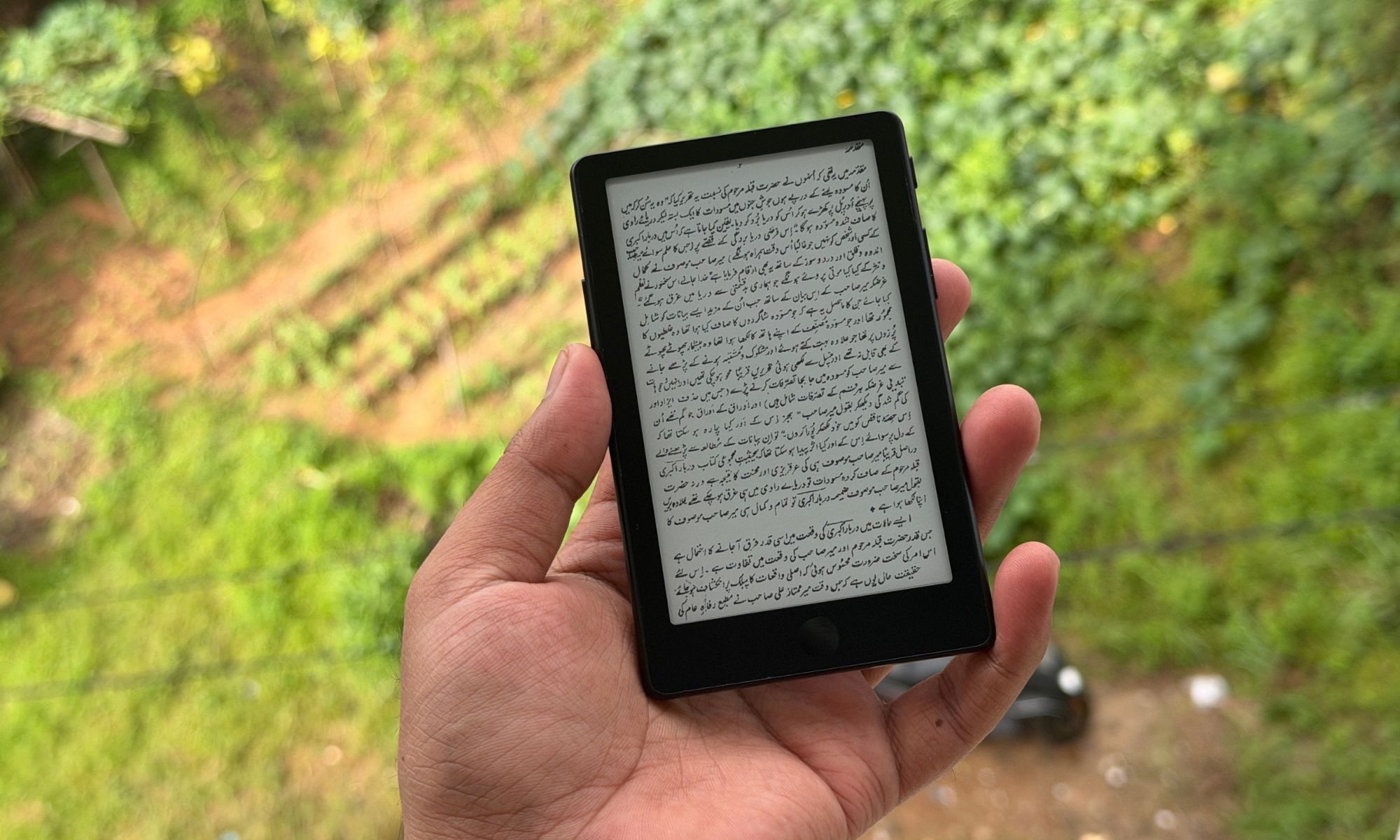
The biggest challenge, I would say, is the display size. It is capable of opening books in a variety of formats, ranging from EPUBs and PDFs to TXTs. And it doesn’t have a lot of issues with rendering images, either. It’s the size of the font and the constant need to turn the next page to access more content that becomes a tad vexing over time.
If you want to avoid frequent page turns, you have to reduce the font size, in which case you have to hold the e-reader close to your eyes. Thankfully, the crossing finger allows you to set an automatic page turn based on the speed at which you read. Conversely, if you don’t want to hold the reader close to your face, you will have to increase the font size, in which case you’ll have to tap frequently on the screen or press the side buttons.
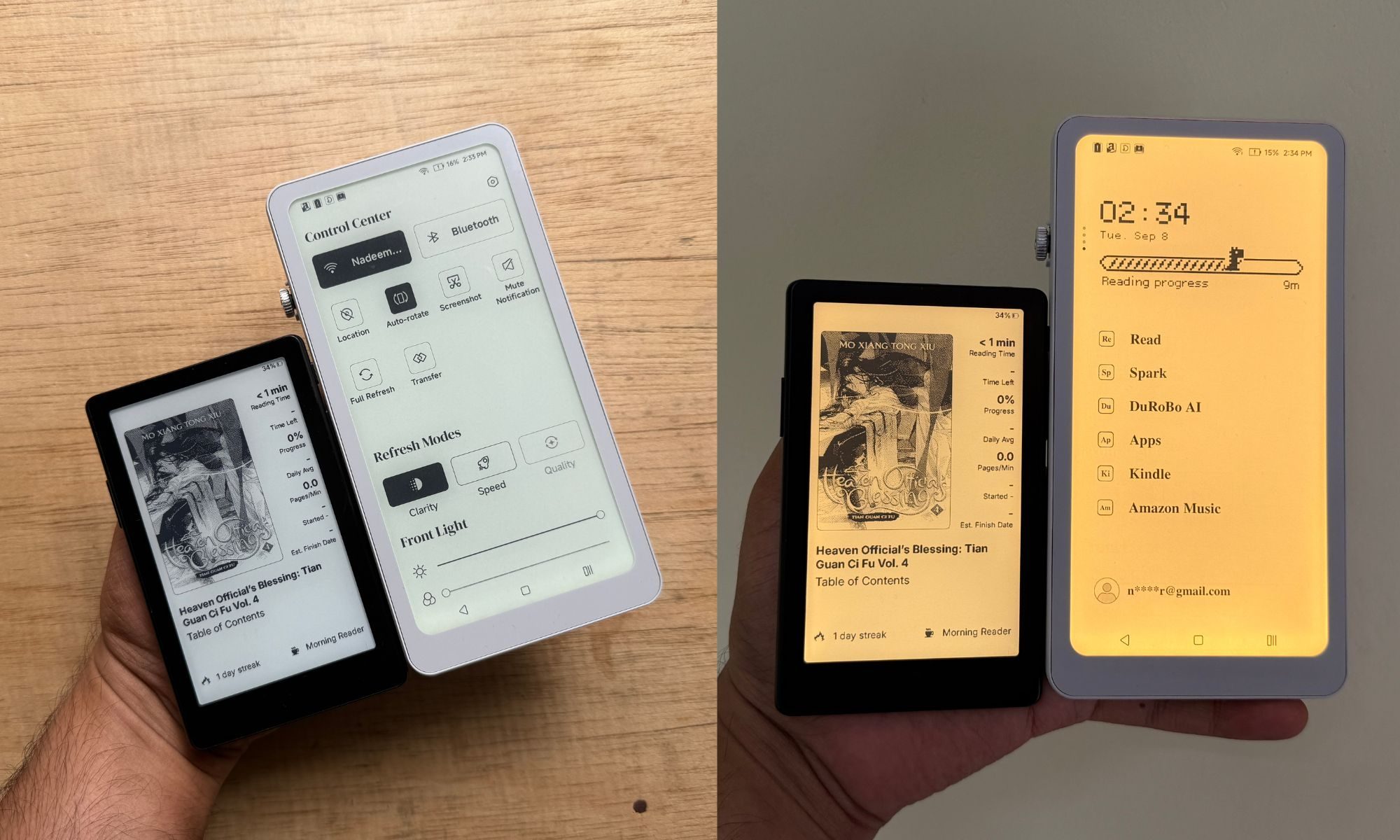
But hey, you’re picking a pocketable e-reader with a four-ish-inch screen, so you already know the drill. The font size and the frequent page turns dilemma never became an issue for me. Just to get a second opinion, I handed the XTEINK X4 Pro to a bunch of my friends, and I asked them if they see it as a problem. Everyone liked the premise of a tiny e-reader, and they expressed having no issues with the frequent page-turn gestures or the font size.
It’s a compromise that takes a backseat in a day or two, in my opinion. Thankfully, the display is not too reflective. And in case you’re wondering, yes, you can buy a tempered glass screen protector for the XTEINK X4 Pro, but you’ll have to buy it directly from the brand, and I couldn’t find any reliable third-party labels that either make a better version or something that costs even less than what XTEINK asks.
Display score: 9/10
XTEINK X4 Pro software
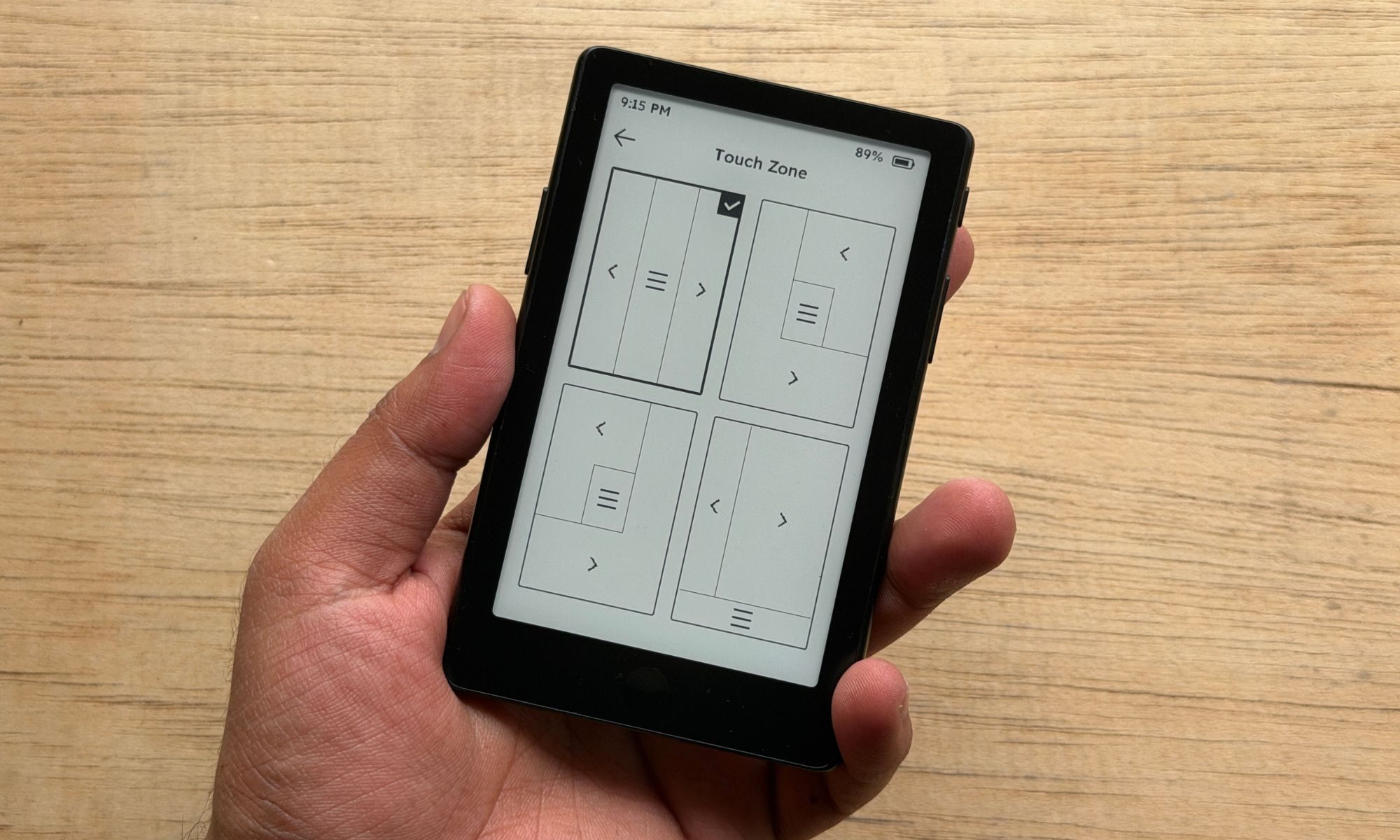
The situation with the XTEINK X4 Pro is not too different from its siblings. The software that XTEINK ships on its e-readers is pretty bare-bones. That’s by design, and also what the modest internal hardware allows. We are dealing with a device with an ESP chip and megabit-class RAM. This is what I wrote about the software when I tested the XTEINK X4 a few weeks ago:
You get a basic file explorer, a recent-books tab, a settings menu, and that’s about it. Native format support is narrow, opening only TXT and basic EPUBs for books, BMP and JPG (for images), and BIN fonts. In the name of customization, you can only pick between “small” or “medium” text, three line-spacing options, and no margin control whatsoever. Moreover, book illustrations often fail to render properly.
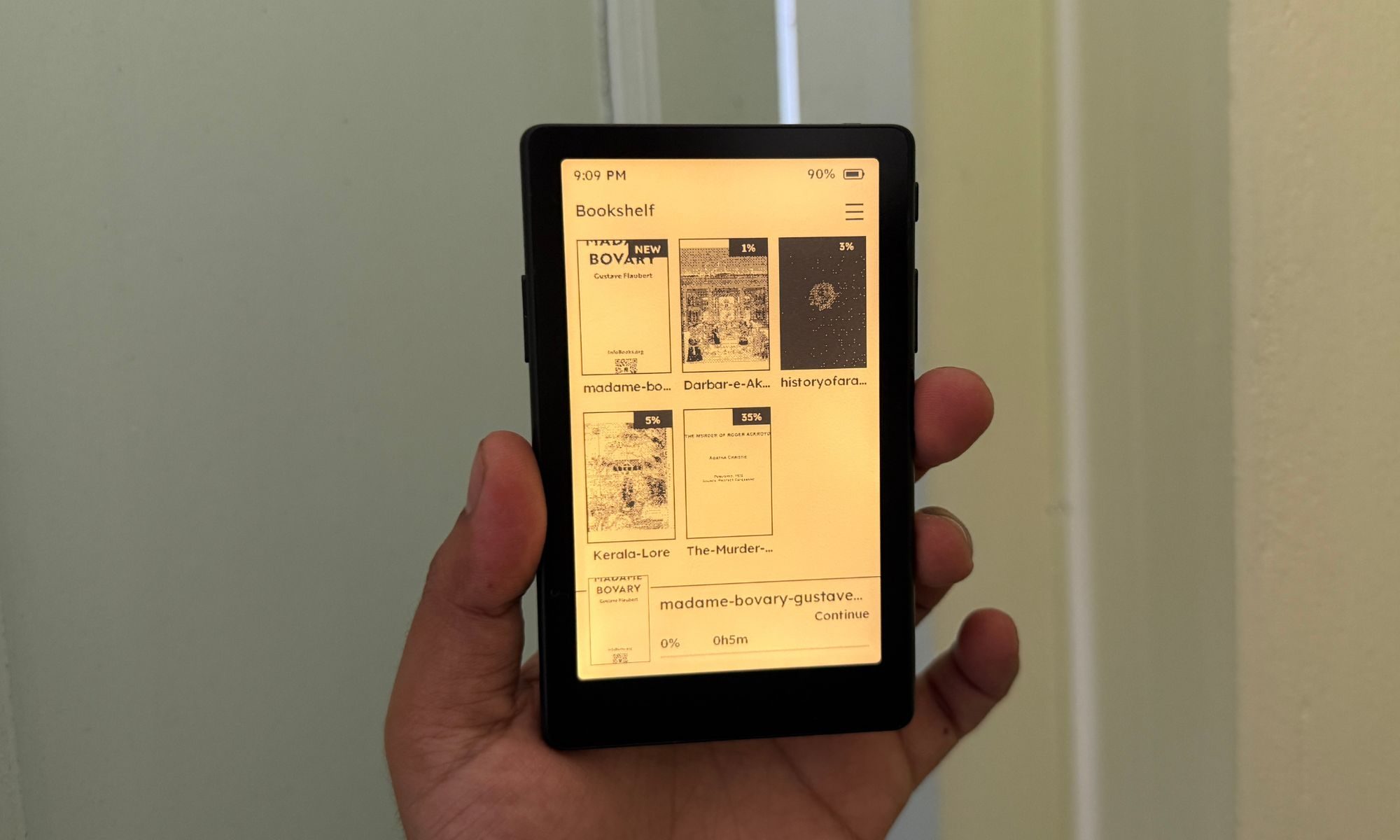
The status quo remains unchanged on the Pro model, which is now my daily driver. I was hoping for a slight change to the UI, now that the reader also supports touchscreen interactions, but that’s not the case. In hindsight, leaving the software unchanged maintains familiarity, whether you pick a model with only physical buttons or a touch-sensitive display.
XTEINK is, however, lucky. Luckier than any other e-reader brand out there. Soon after its palm-friendly readers started gaining traction, the user community started tinkering with the software and developed their own firmware builds with plenty of useful features and performance improvements.
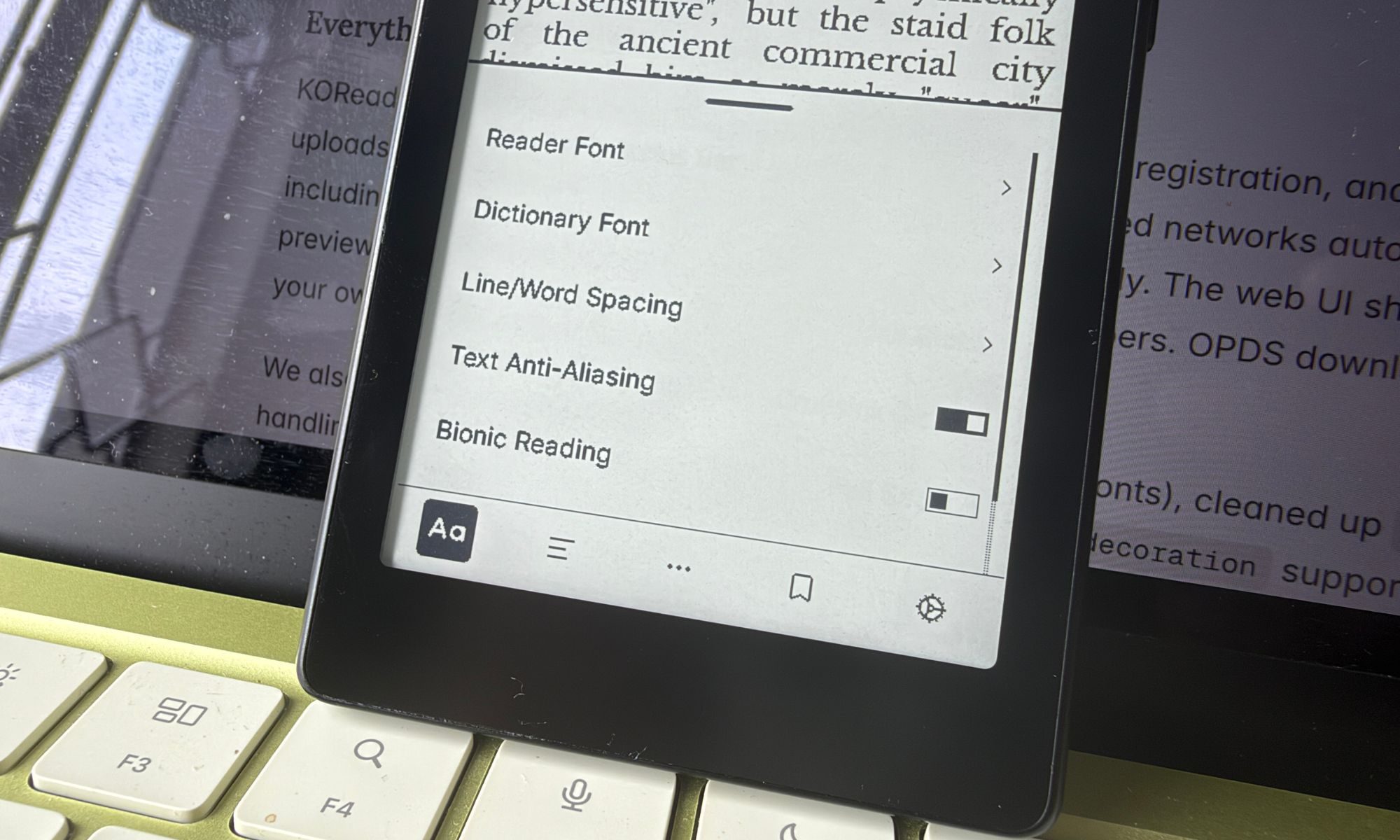
The open-source community has created multiple forks as well, each with a unique look and set of features. After some initial friction, XTEINK has now officially partnered with the Crosspoint dev team, allowing users to easily install the custom software on their e-reader without any hassles.
I began the XTEINK X4 Pro review with the vanilla Crosspoint firmware, but at the time of writing this, I have moved to a new fork called CrossInk. Just in case you’re curious, it can also be installed on other devices armed with an ESP32-C3 chip. CrossInk gives a modern design makeover to the XTEINK X4 Pro software with some cool new tricks.
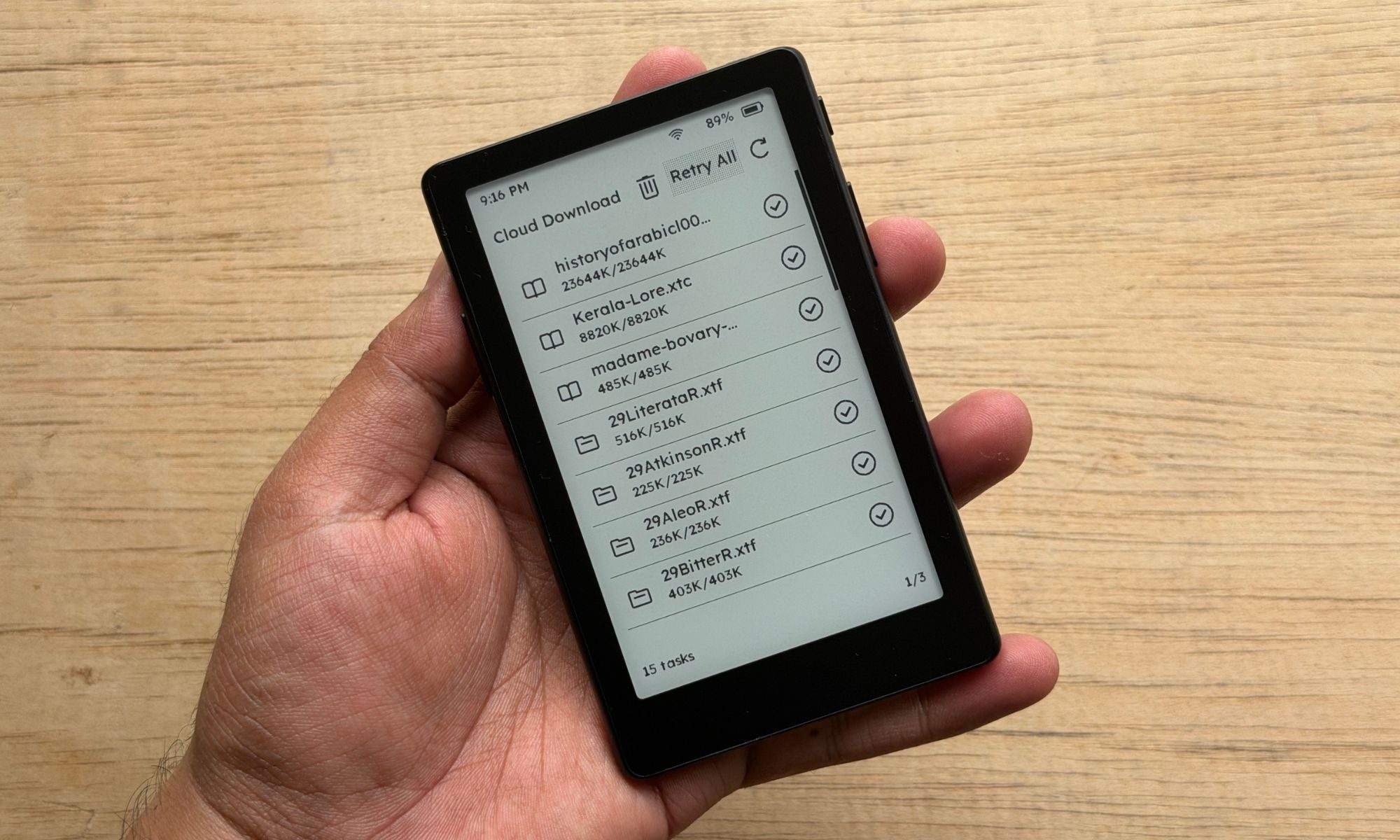
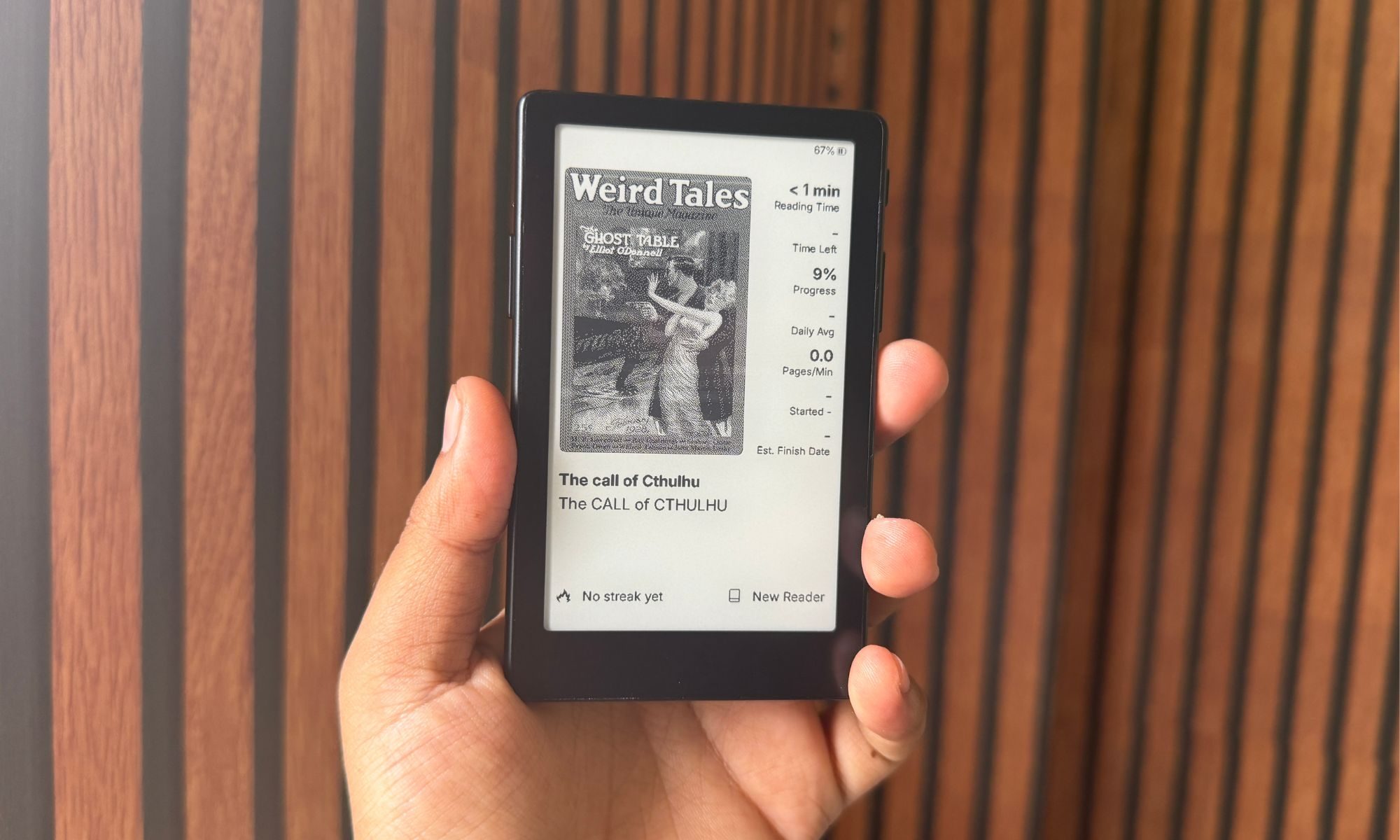
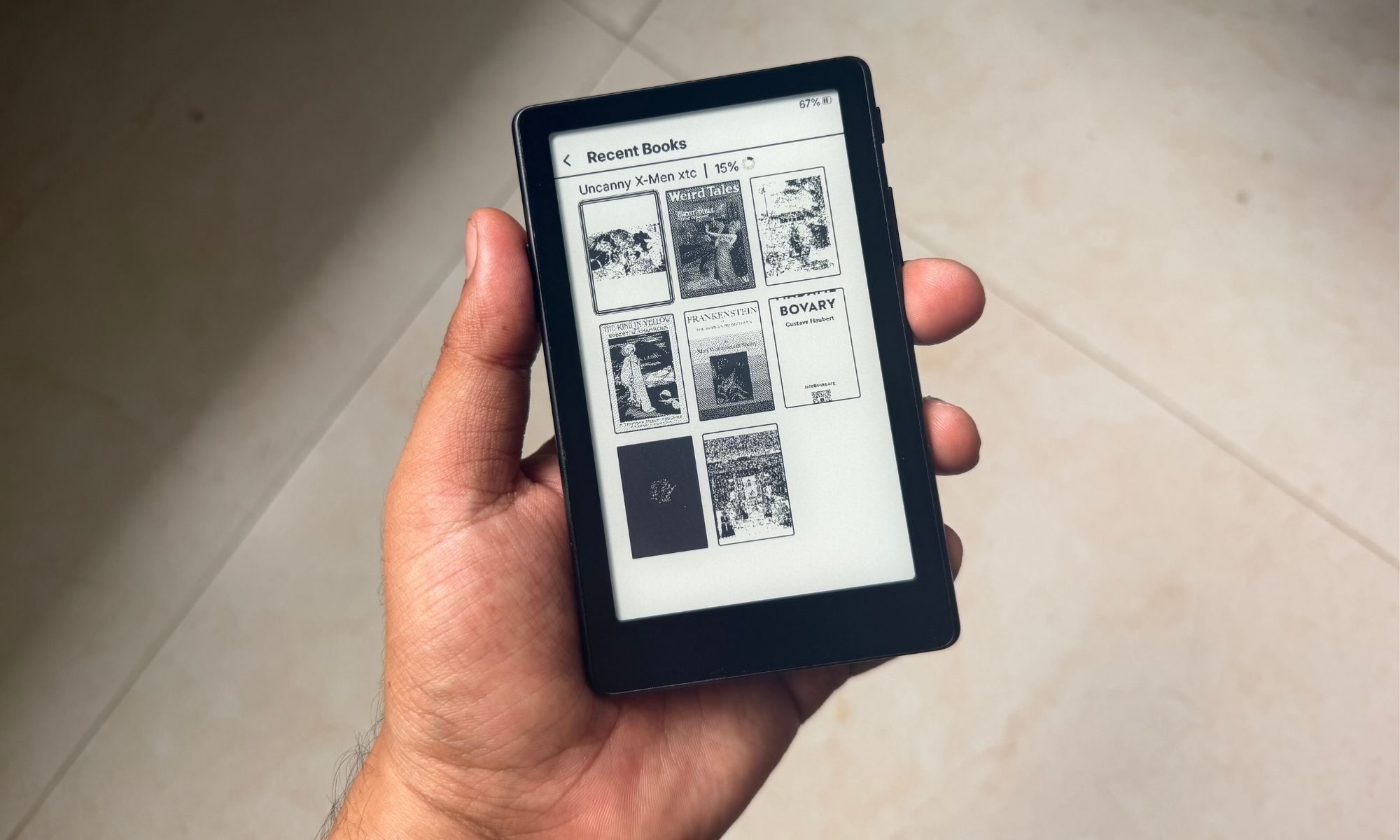
For starters, it adds a reading stat on the home screen for each title. As you swipe your way past books, you can check details such as reading time, time left, progress, and reading streak, among others. It also brings new fonts, more font sizes, a custom sleep screen, button remapping, a new “read” for finished titles, and quicker access to core reader functions (recent, stats, and transfer options), right from the home screen.
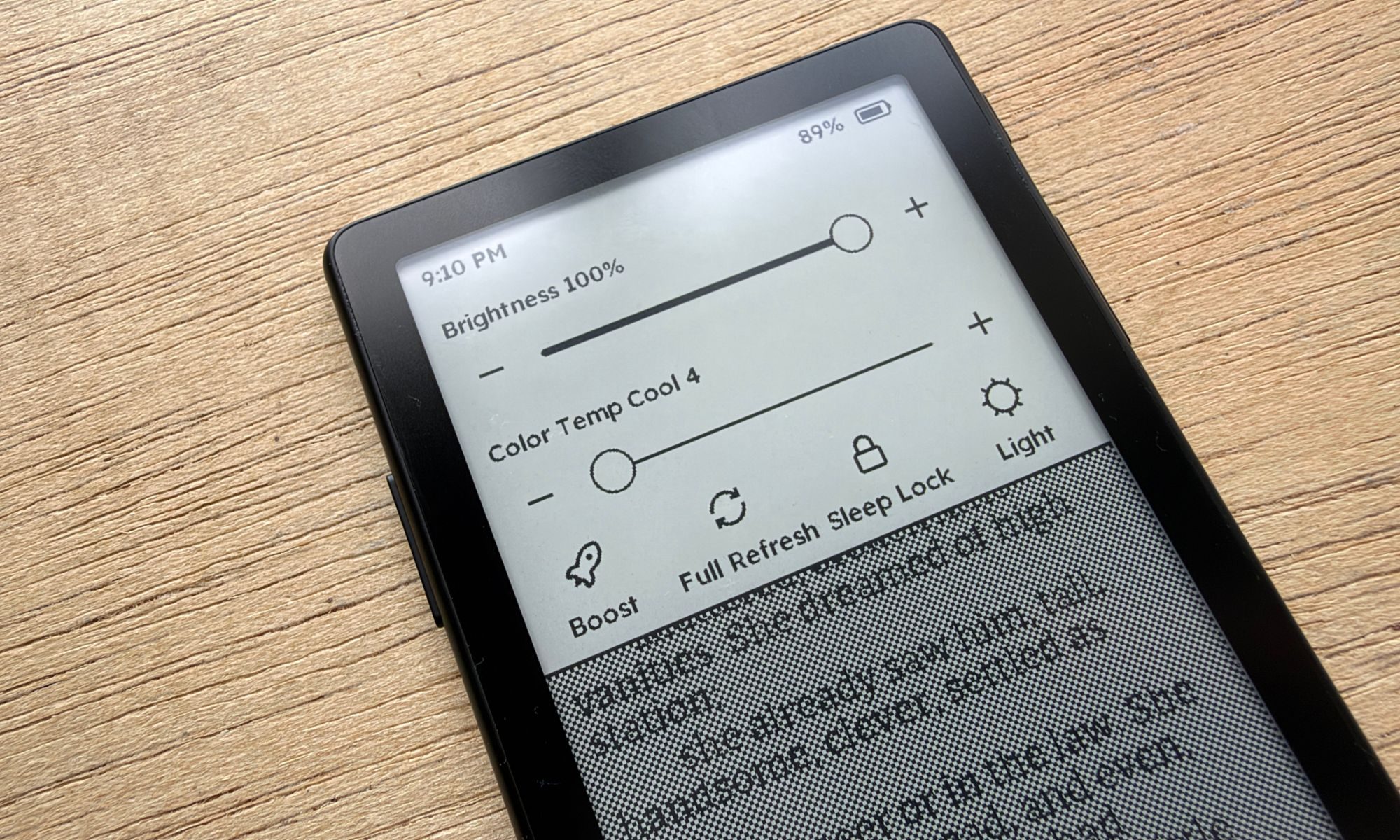
The control panel also gets more granular controls, mimicking what you get on Android phones. All the core controls for display, reader mode, page tools, and system settings are now just a couple of taps away. Broadly, CrossInk brings a more homely feel to the XTEINK reader while also speeding up responsiveness.
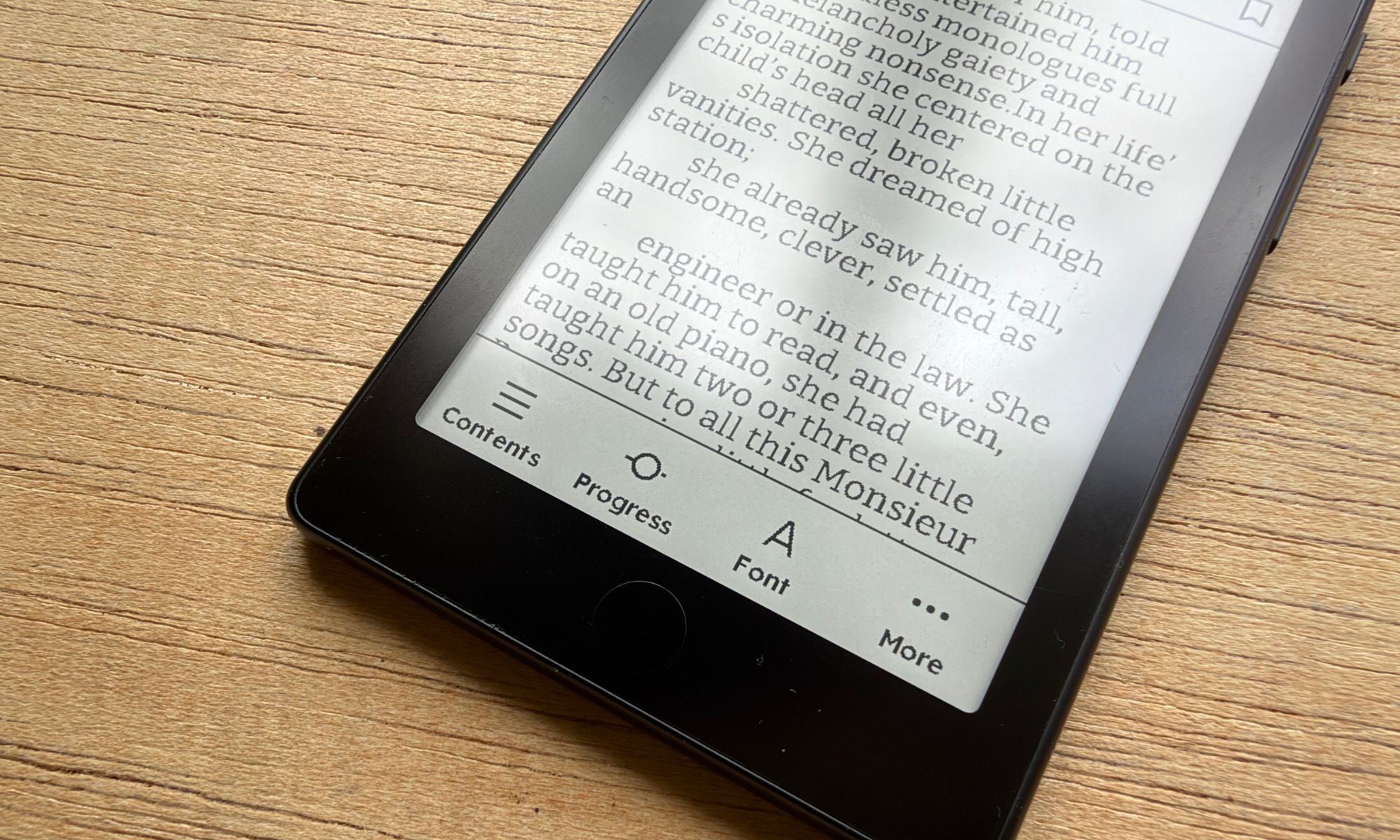
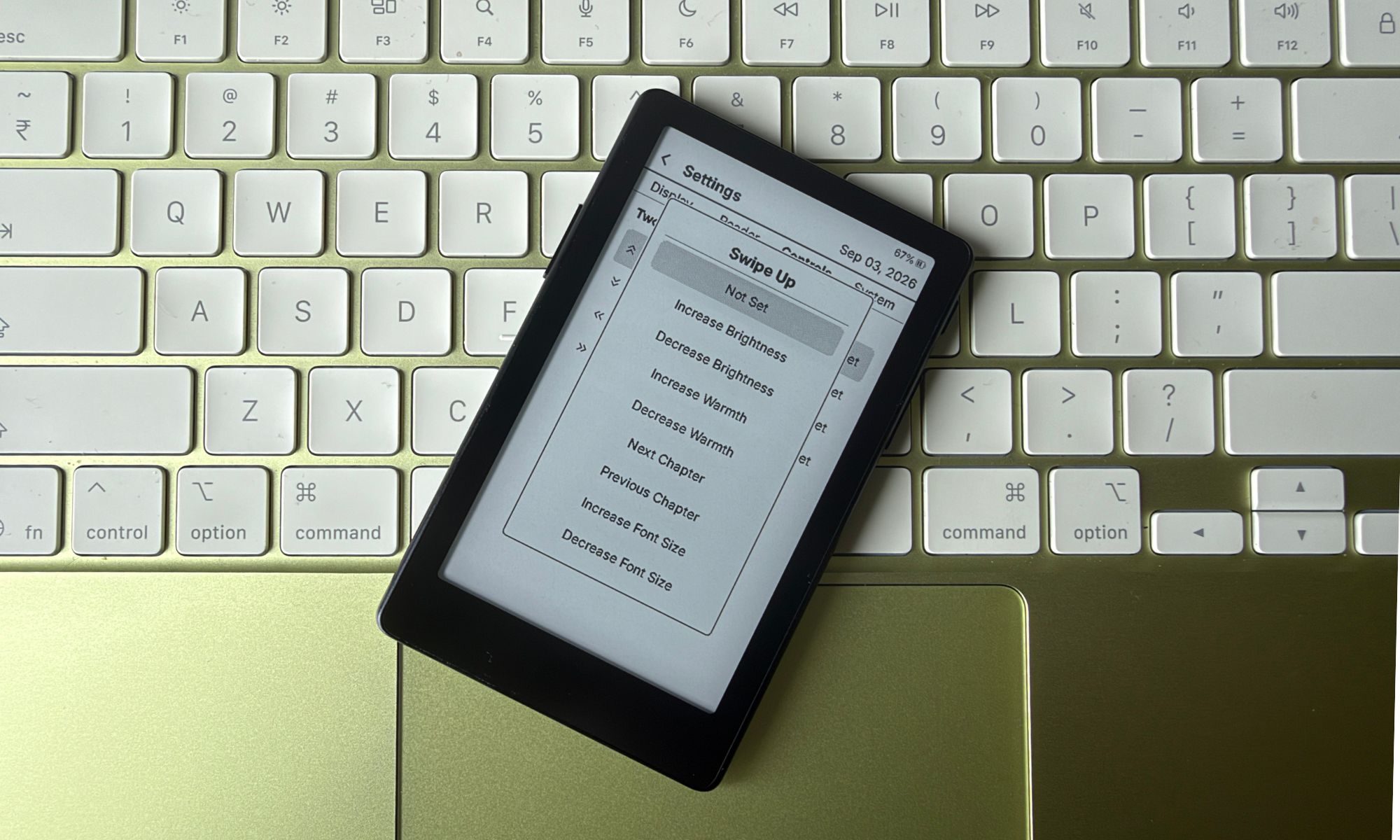
The most notable perks of CrossInk are Bionic mode for reading and guide dots. It also unlocks what you can accomplish with each button on the device. You can even assign different actionable commands to single-tap, double-tap, and long-press gestures on the capacitive home button.
CrossInk also unlocks the potential of the touch-sensitive display on the XTEINK-X4. You can enable two-finger swipe gestures in all four directions, while picking between eight actions. They’re pretty intuitive, and I was able to build muscle memory in just a day or two. A left/right swipe adjusts font size, while vertical swiping lets me adjust screen temperature.
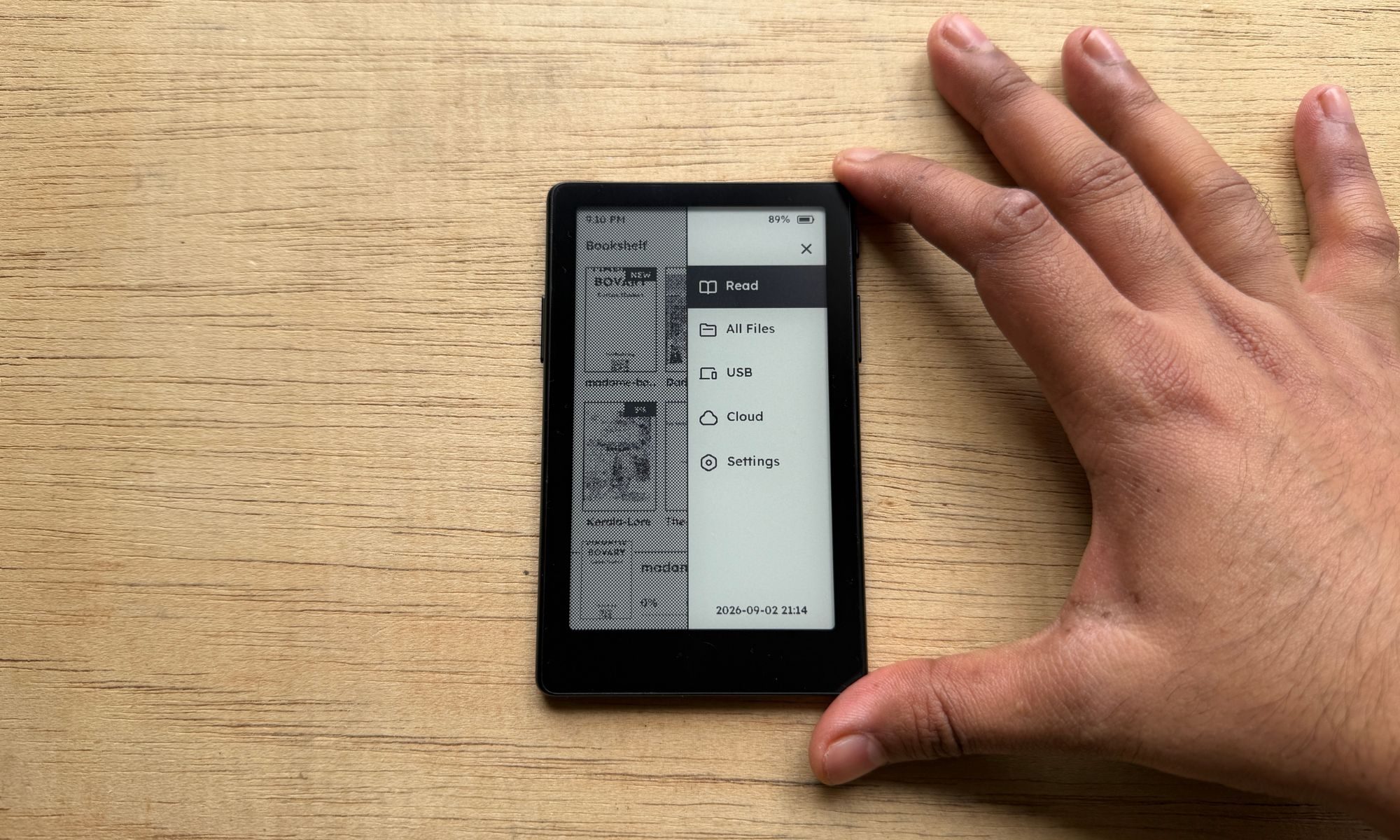
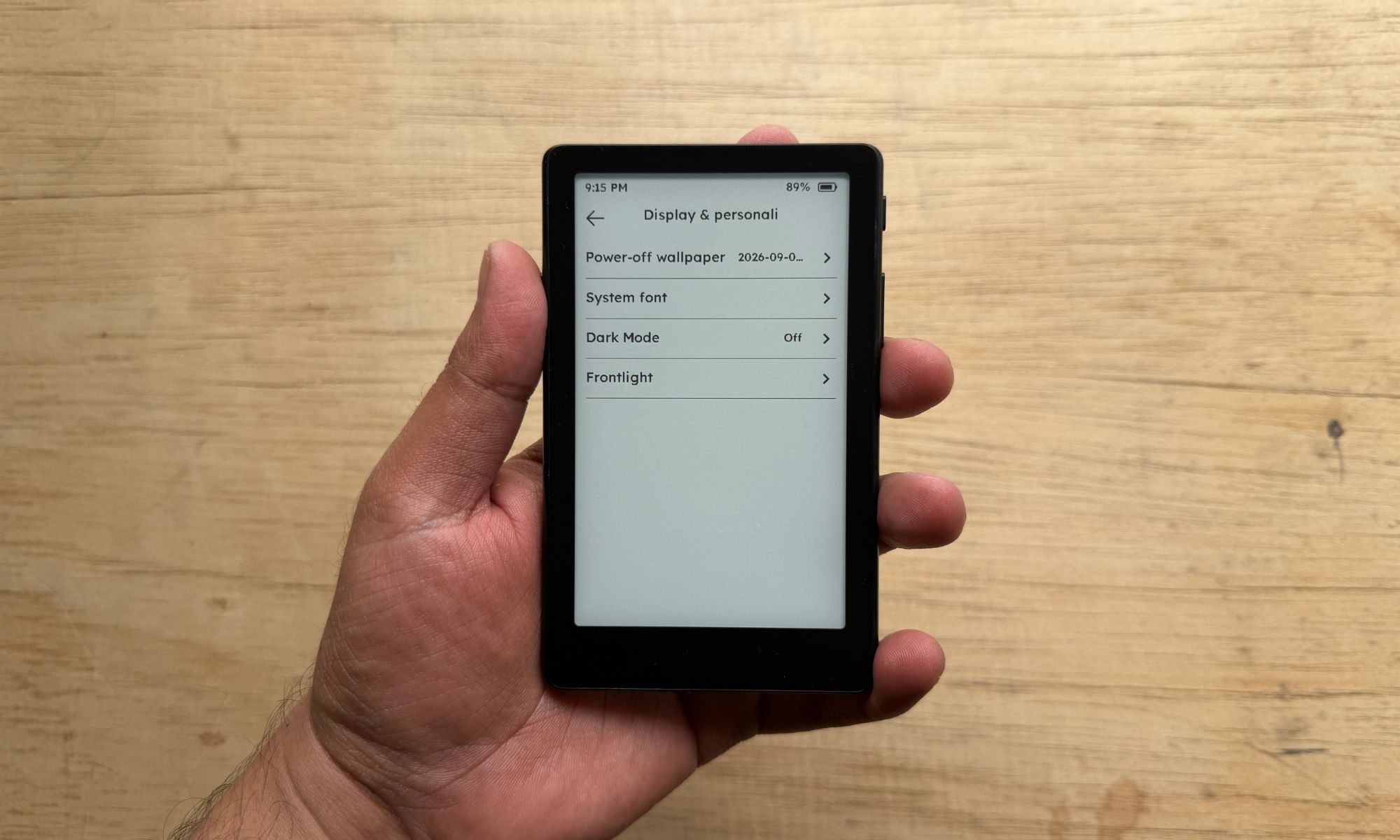
Let’s talk about the reading experience. CrossInk offers one-tap switching between dark and light mode, and I just love it. I also love the fact that there is no overlap between system-level settings and page controls when you are reading.
A downward swipe from the top edge gives you access to the core display controls, file transfers, stats, and one-tap access to the four-page settings dashboard. Conversely, an upward swipe from the bottom edge opens font controls, alignment and margin tools, chapter and page progress functions, bookmark, and a handful of reader settings for customizing the status bar, EPUB rendering mode, indexing, and dictionary, among others.
Now, any device that asks you to install custom software in order to get the best out of it should automatically disqualify that device from buyer consideration. The XTEINK X4 Pro falls in a rather unique category. If you want it to serve as a distraction-free reading device and don’t mind the bare-bones joy controls, there is nothing to feel bothered about.
But if you’re someone who wants to get the best out of the device in your hands, XTEINK’s open approach to installing custom firmware is worth praising. Thankfully, you don’t have to go through any technical hoops. All you need to do is connect the magnetic pin charger, open a web browser, and click on the firmware install button. Once the files are in place, simply reset the device, boot up the firmware, and you’re good to go.
Software score: 6/10
XTEINK X4 Pro battery life and charging
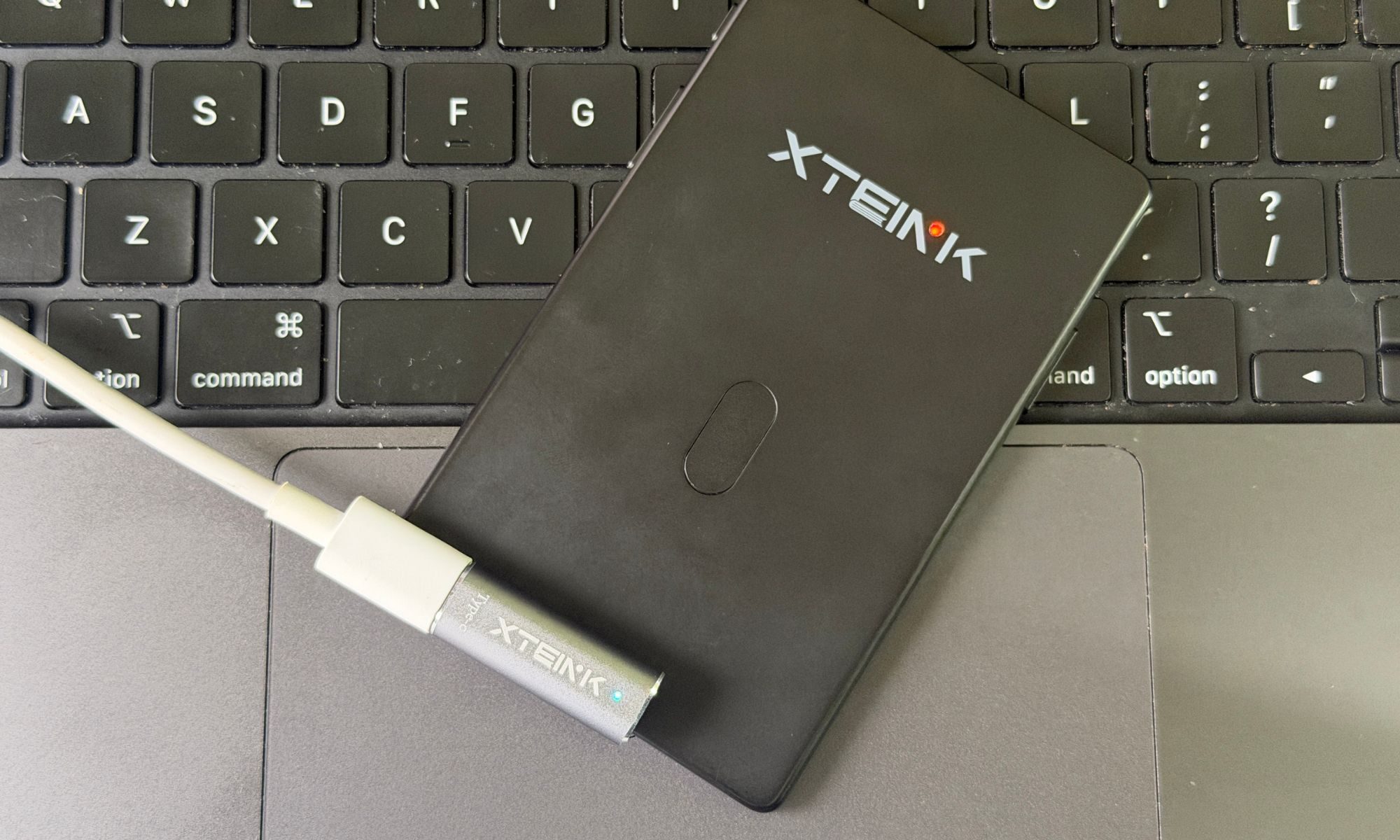
Another notable upgrade that XTEINK made on the X4 Pro over the X4 is the battery capacity. This one comes equipped with a larger 1,100 mAh battery. XTEINK is not promising a definitive battery life, because that could depend on a lot of factors, such as brightness level, average reading time, wireless connectivity, and more.
In the context of a smartphone, these factors may not sound like much, but for a tiny device like the MB XTEINK X4 Pro, with a battery size that is nearly one-sixth of what you get on a phone, screen-on time makes a huge difference, and so does the brightness level.
Personally, I didn’t do a lot of nighttime reading, so I barely ever felt the need to enable the display front light. I like the pristine paper-like view, and as such, my reading was almost entirely done with the front light turned off. I spent roughly two hours reading on the XTEINK X4 Pro each day, and the battery easily lasted me a week.
Depending on how you read and your front light preferences, your mileage will vary. But if you’re a casual reader who wants to make the best of the time you spend on the daily commute, brief breaks between work, or simply engage in light reading before going to sleep, you likely won’t have to charge the XTEINK X4 Pro midway through a week.
Battery score: 7/10
Should you buy?
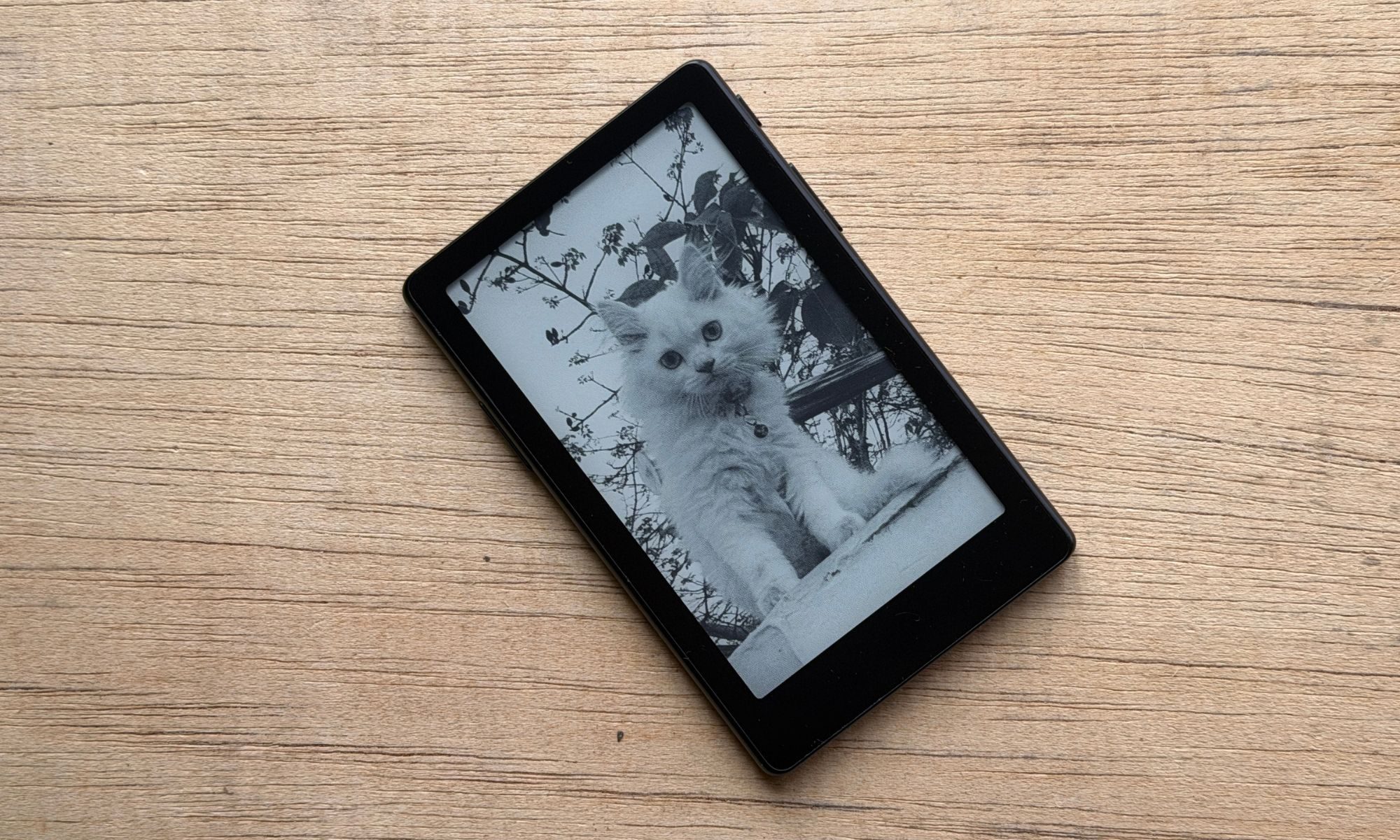
The XTEINK X4 Pro is a unique device, and there is no other way to describe it. If you predominantly want a device that you will barely feel in your pocket or backpack, or simply snap onto the back of your phone, this is the one for you. It is squarely targeted at people who want the smallest possible reader that can also liberate them from using a phone to kill some time.
Compared to its sibling models, the XTEINK X4 Pro tries to more realistically replace the smartphone in your hand by offering a touch-sensitive screen and a display with front light that also lets you adjust the screen temperature. There’s even a capacitive home button to mimic the UI experience of Android and iOS devices.
The drawback is the bare-bones software. The file transfer experience is a tad restrictive, and the best way forward is to install third-party software like CrossInk or CrossPoint firmware. The process is fairly straightforward, but it will still take you a couple of attempts before you get used to the clunky file transfer process, both in wired and wireless modes. Broadly, if you’re averse to the idea of carrying a Kindle every day but can’t afford phone-like readers, the XTEINK X4 Pro is the best pocket-friendly option for you out there.
Why not try
XTEINK X3 — If you want something even smaller, lighter, and more affordable, the XTEINK X4 Pro e-ink is a fantastic option. It strips down the controls to front-positioned buttons, and there’s no touch-sensitive screen with a front light. Thankfully, it supports third-party firmware builds, so you won’t be missing out on much.
Amazon Kindle — Arguably the most convenient reading device out there. Amazon’s Kindle saves you the trouble of manually installing software. You get access to one of the world’s biggest digital book libraries that offers a one-tap purchase and reading experience, a sharper and bigger screen, and a USB-C port tied to a much bigger battery.
Kobo Clara BW (Review) — A natural alternative to Amazon’s Kindle, the Kobo Clara BW offers a six-inch screen with similar sharpness, quicker response, and a light temperature adjustment feature. It’s also a lot more open from an ecosystem perspective and offers ready access to plenty of digital libraries without as many file format restrictions.
Frequently Asked Questions?
What is the display type?
It’s a 4.3-inch glare-free E-ink touchscreen display with 219 PPI (pixel density) output.
Is there a front light?
Yes, you can adjust the brightness level and screen color temperature, too.
How heavy is it?
The XTEINK X4 Pro weighs 72 grams.
How do I control it?
You can use the touchscreen, the physical buttons, or both to navigate the UI.
What file formats are supported natively?
The XTEINK reader supports EPUB and TXT for documents, JPG and BMP for images, and BIN and XTF for font files.
What is the storage capacity?
The XTEINK X4 Pro ships with a 16GB microSD card, but you can go up to 256GB.
Source link